publishing.co.uk · book formatting
Point at it. Don't describe it.
Your own manuscript on one side. Your typeset book on the other. Click any page to tell us what to change.
We have looked hard, and we cannot find another formatting service that puts your own manuscript next to the finished book and lets you click the page. If you find one, tell us and we will take this line down.
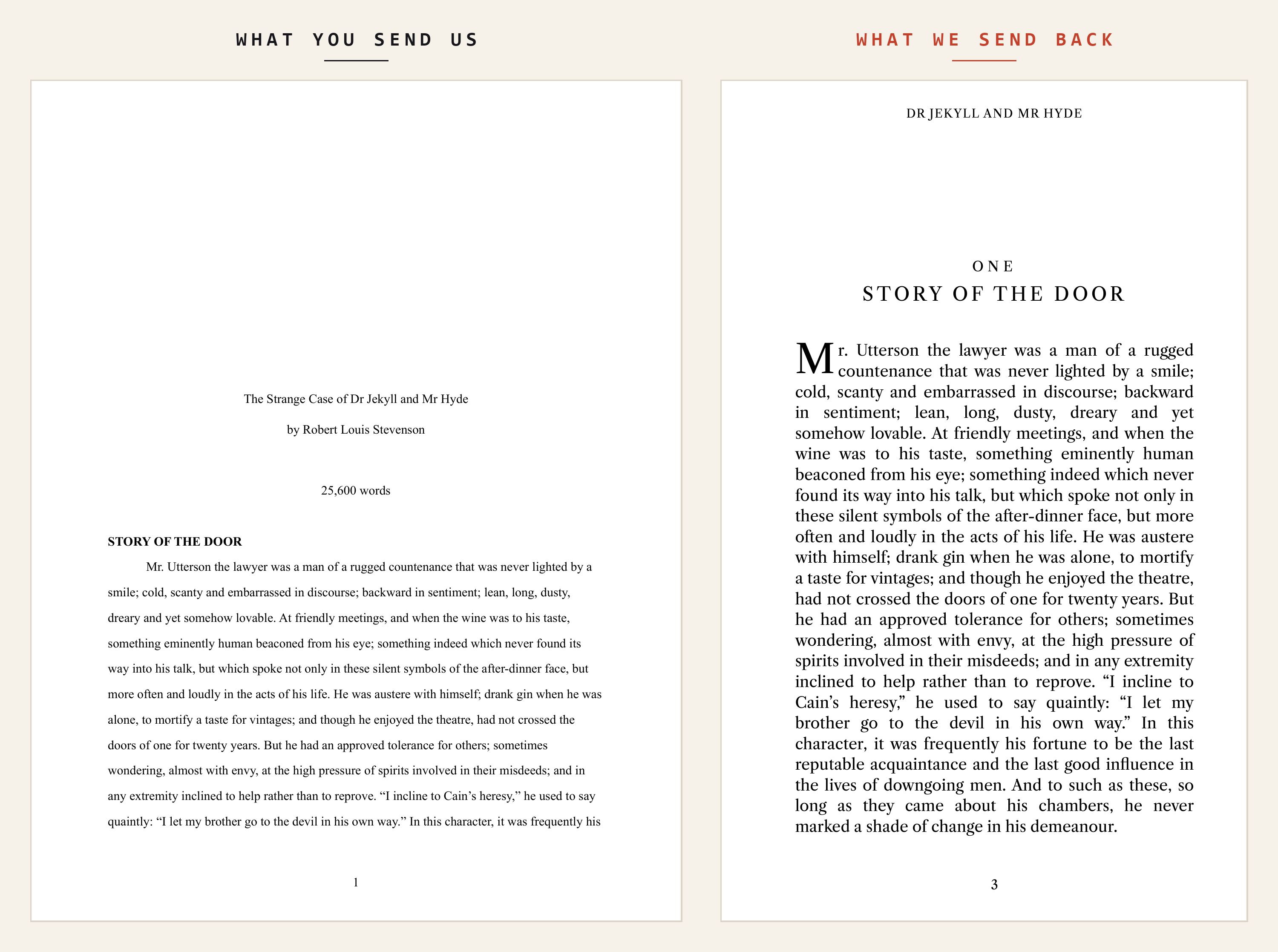
Then you check it, page by page, beside your own.
One link. No account, no sign-in, nothing to install. This is the actual screen an author sees.
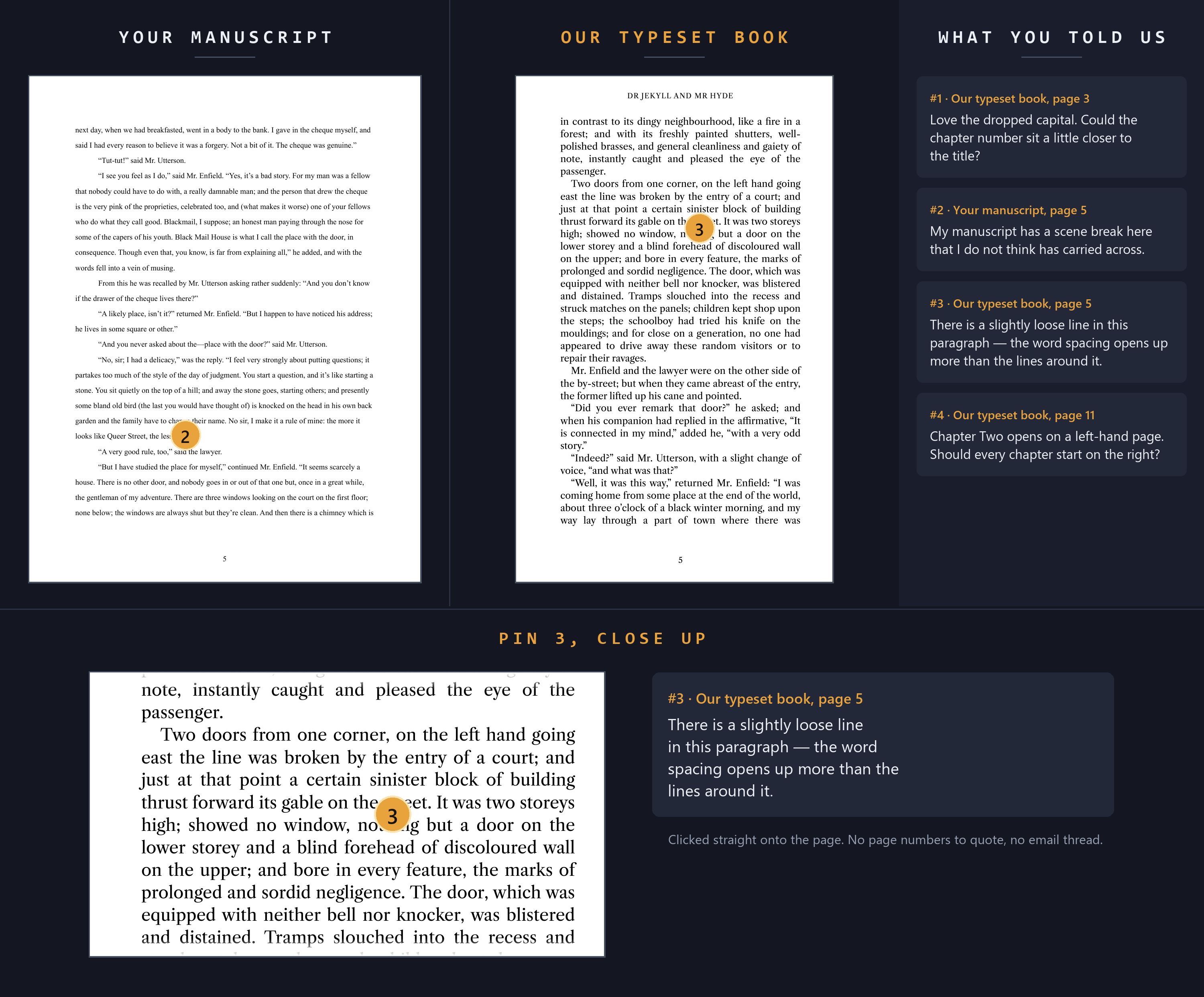
Your manuscript
Exactly the file you sent us, page for page. So you can see what we started from.
Our typeset book
The real printed pages, as they will come off the press.
Your note
A marker lands on the spot, and we see it on the page you left it on.
Why that is worth having.
Everywhere else, you get a PDF. Something is wrong on what you would call page 40, so you write an email describing it and hope the person at the other end finds the same spot.
"Please DO NOT reference page numbers when requesting corrections… Instead, please use text references so that our technicians can easily input the text into their search bar and pinpoint the exact location of the correction."BookBaby · eBook Proof Reference Guide
You click the place on the page.
That is the whole instruction. Nobody types out a sentence so somebody else can paste it into a search box.
Five steps. You do two of them.
Send us the manuscript you
Word, Pages, ODT or a PDF. Whatever you actually wrote in.
We typeset it
Trim, typeface, margins, chapter openings and running heads, set to Amazon's own specification for your page count and paper.
We check it against your original
Every built page is compared with the page it came from, before you see any of it.
You review it side by side you
We send one link. Click wherever something is wrong. Come back to it as often as you like.
We fix it and hand over the files
Print interior and Kindle edition, ready to upload.
The checking you never have to ask about.
Every book goes through the same gates, and one that fails a gate does not reach you.
- Nothing lost, nothing moved. Every passage of your original is found in the built book, in the order you wrote it.
- Every page looked at. Each built page is rendered beside the source page it came from — no stranded headings, no orphaned images, no chapter opening marooned on the wrong page.
- Amazon's own tools. Kindle Previewer and the EPUB validator, which is what Amazon runs when you upload. Better to find it here than be rejected there.
- The maths that gets covers rejected. Spine width against your real page count and paper stock, checked to Amazon's published figures.
Open a real one.
The live review tool, loaded with a public-domain novel we typeset for the purpose. Click any page and leave a comment, exactly as an author would.
Open the sample review Jekyll & Hyde · 95pp
Ready to send your own? Order book formatting →