Last reviewed by Robert Prime — March 2026
Table of Contents
- Introduction
- What You Need to Know Before Starting
- Step-by-Step Guide to Using Reedsy and Scrivener
- UK-Specific Considerations
- Common Mistakes and How to Avoid Them
- Tools and Resources for UK Authors
- Cost Breakdown: Reedsy vs Scrivener in GBP
- Expert Tips from 25 Years in the Industry
- Frequently Asked Questions
- Final Thoughts
- About the Author
Introduction
If you’re a UK author standing at the crossroads of your self-publishing journey, chances are you’ve already researched the big names in writing and formatting software: Reedsy and Scrivener. Both tools have solid reputations but serve very different purposes. Understanding their strengths, weaknesses, and how they fit into the UK publishing landscape can save you hours of frustration—and possibly a lot of money.
After 25 years in e-commerce, and having personally wrestled with formatting my own book Google. Panic. Repeat., I’m painfully aware of how these tools influence not just the writing process, but the entire publishing pipeline. When I was formatting Google. Panic. Repeat., I discovered firsthand how technical and frustrating preparing a KDP-compliant manuscript can be—even for someone with a strong digital background. This guide pulls no punches. It cuts through the marketing fluff, the US-centric advice, and the hype to give you a clear, business-minded perspective tailored for UK authors.
Whether you’re a first-time self-publisher or a seasoned pro looking to optimise your workflow, this article will explain exactly what you need to know about Reedsy vs Scrivener, including UK-specific pricing, real-world examples, and practical tips that go beyond the basics.
What You Need to Know Before Starting
Before diving into Reedsy or Scrivener, it’s crucial to understand the fundamental difference between these tools.
Scrivener is primarily a writing and organisational software designed to handle complex manuscripts. It’s a powerhouse for drafting, structuring, and managing research, notes, and scenes. Think of it as your digital writing room with every resource at your fingertips.
Reedsy, on the other hand, is an online marketplace and formatting tool focused on the publishing stage. Its formatting engine produces print-ready books and eBooks directly from your manuscript, simplifying the often painful step of making your book compliant with platforms like Amazon KDP and IngramSpark. Reedsy also connects authors to editors, designers, and marketers but its core value is in professional-quality formatting.
Key Terminology to Understand
- Trim size: The final physical dimensions of your printed book (e.g., 5”x8”, A5). Crucial for print formatting.
- Bleed: Extra image or colour area extending beyond the trim size to avoid white edges after trimming.
- EPUB: The industry-standard eBook file format supported by most readers (including Apple Books and Kobo).
- PDF: Portable Document Format, often used for print-ready files.
- KDP: Kindle Direct Publishing, Amazon’s self-publishing platform with specific file requirements.
- ISBN: International Standard Book Number, a unique identifier for books. In the UK, purchased from Nielsen.
- Metadata: Book information such as title, author, keywords, and description essential for marketing and discoverability.
Step-by-Step Guide to Using Reedsy and Scrivener
Using Scrivener: From Idea to Manuscript
Create a New Project:
- Open Scrivener. On the welcome screen, click File > New Project.
- Choose a template that fits your genre (e.g., Fiction, Non-fiction, Scriptwriting). For a novel, select “Fiction.”
- Name your project and select the save location on your computer.
Organise Your Manuscript:
- Use the Binder panel on the left to create folders for chapters and documents for scenes or sections.
- To add a new folder or document, right-click in the Binder and select Add > New Folder or Add > New Text.
- Rename these to reflect chapter titles or scene names, which helps with navigation.
Write and Edit:
- Use the Editor pane in the middle to write.
- To enter distraction-free full-screen mode, click View > Enter Composition Mode.
- Track your progress via Project > Show Project Targets, setting daily or total word count goals.
Formatting Basics:
- To set font, size, and paragraph style, highlight text and go to Format > Font > Show Fonts… or use keyboard shortcuts.
- For paragraph settings like indents and spacing, use Format > Paragraph > Line Spacing or Indentation options.
- Use Styles to create consistent formatting—though Scrivener’s styling system is less intuitive than Word’s.
Compile Your Manuscript:
- When ready to export, click File > Compile.
- Select your desired format: DOCX for Word, PDF for print proofs, EPUB for eBooks.
- Under Compile For, choose your target platform (e.g., Kindle, EPUB, Paperback).
- Click Formatting to adjust how sections appear: font sizes for chapter titles, page breaks, headers, footers, and margins.
- Export your file and open it in Word or an EPUB reader to check formatting.
Pro tip: Before compiling, use View > Text Statistics to get an overview of your manuscript length and readability. It helps with pacing and market expectations.
Using Reedsy: From Manuscript to Print-Ready Book
Sign Up and Upload Your Manuscript:
- Visit reedsy.com/write and create a free account.
- From the dashboard, click New Book > Upload. Reedsy accepts DOCX files — make sure to clean your manuscript first (no manual tabs, consistent heading styles).
- Drag and drop your file or browse your computer.
Choose Trim Size and Paper:
- After upload, select your print trim size. Reedsy offers standard UK sizes like 5”x8” (127x203mm), 6”x9” (152x229mm), and A5 (148x210mm).
- Select paper colour: cream (easier on the eyes for fiction) or white (sharper for non-fiction).
Pick a Font and Layout:
- Choose from professional templates with fonts optimised for readability and print standards (e.g., Garamond, Baskerville).
- Reedsy auto-adjusts paragraph styles depending on genre—fiction defaults to indented paragraphs; non-fiction uses block paragraphs with spacing.
Add Front Matter and Extras:
- Use the Reedsy interface to add front matter: title page, copyright page, acknowledgements, dedication, and table of contents.
- Easily re-order sections by drag-and-drop in the sidebar.
- Add images or author bio pages if needed.
Preview and Export:
- Use the in-browser previewer to check your formatted book as it will appear in print or digital formats.
- Export your final files as print-ready PDFs for IngramSpark or KDP and EPUB files for eBook platforms.
Pro tip: Reedsy’s formatting is designed to meet Amazon KDP and IngramSpark specs out-of-the-box, but always double-check margins and bleed especially if your book contains images or full-bleed pages.
UK-Specific Considerations
Pricing Reality for UK Authors
The UK self-publishing market is booming. But authors here face unique challenges, especially around costs and compliance.
ISBNs: Unlike the US, where Bowker manages ISBNs, UK authors must buy ISBNs through Nielsen. This is a frequently overlooked but critical expense. A single ISBN costs £93, and a block of 10 ISBNs costs £174. That’s a significant upfront cost for many self-publishers, but it’s a necessary investment if you want full control over your book’s metadata and distribution.
Free ISBNs: Platforms like Amazon KDP offer free ISBNs, but they list Amazon as the publisher, limiting your ability to sell through other channels like Waterstones or independent bookshops. This can negatively impact your professional image and long-term rights.
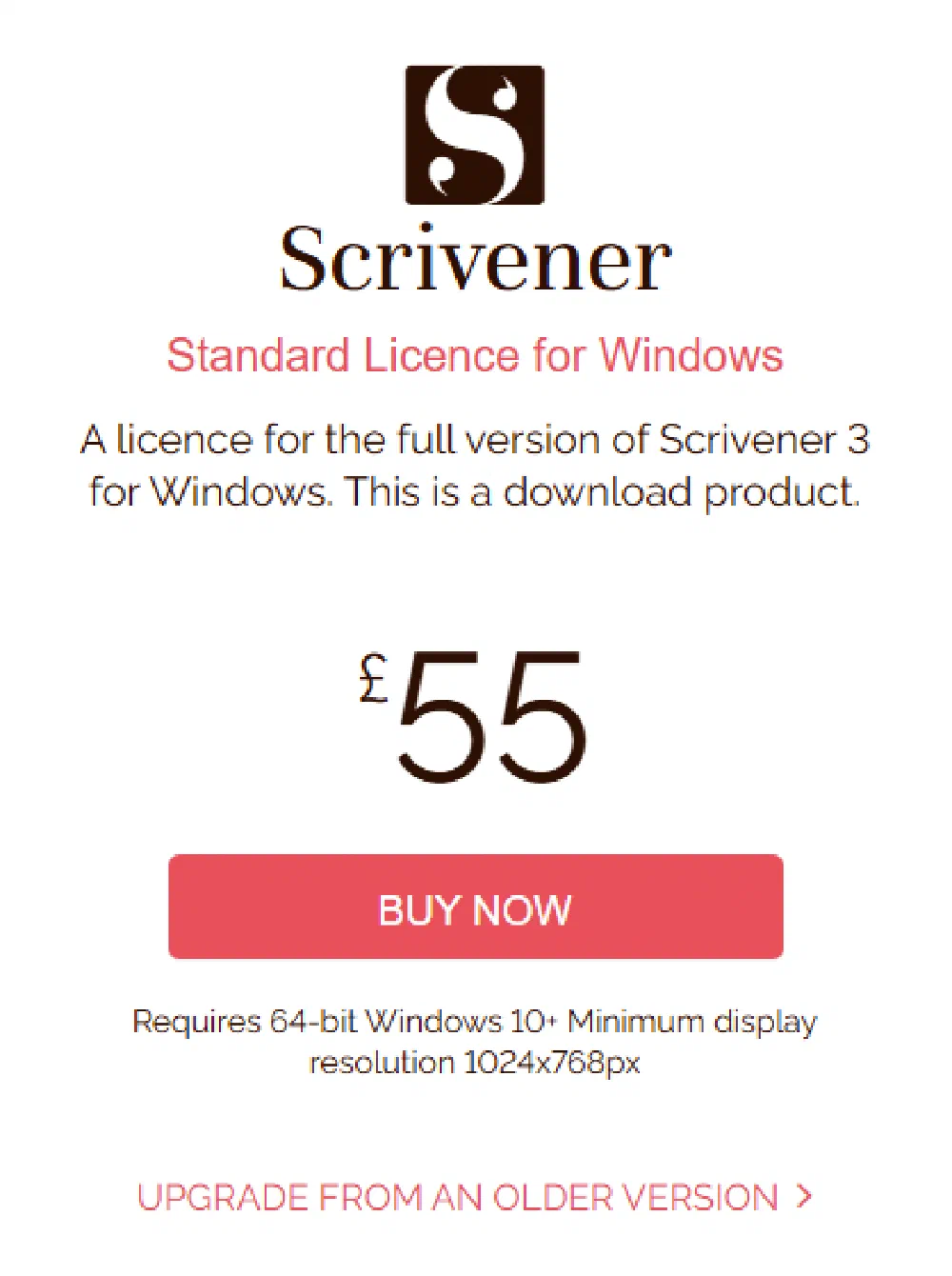
Formatting Costs: While Reedsy offers a free formatting tool, its professional editing and design services are priced per freelancer and quote-based — cover design and full editing/formatting packages vary widely, so check current rates on the Reedsy marketplace. Scrivener, by contrast, is a one-time purchase of £55 (as at August 2026) — Literature & Latte bill UK buyers natively in pounds, not a dollar conversion — but it requires a steep learning curve and does not replace professional formatting services.
VAT and Tax: In the UK, both printed books and ebooks are zero-rated for VAT (ebooks have been zero-rated since May 2020), which means you don’t pay VAT on either format. Audiobooks, however, still attract the standard 20% VAT rate. Amazon KDP collects VAT automatically depending on your sales location and product type.
Market-Specific File Requirements
Amazon KDP UK and IngramSpark have specific print specifications that must be adhered to, including:
- Margins: Print books require larger inner margins (the gutter) to accommodate binding without obscuring text. For example, the gutter margin for a 200-page book at 5”x8” trim size should be at least 0.5 inch (12.7mm) on the inside.
- Bleed: If your book contains images or backgrounds that go to the edge of the page, bleed areas of 3mm are mandatory to avoid white edges after trimming.
- Fonts: Use embedded fonts in PDFs to avoid substitution during printing. Reedsy handles this automatically; Scrivener users exporting to Word must confirm font embedding when saving PDFs.
- Page Numbering: Odd pages typically appear on the right (recto) and even pages on the left (verso). Scrivener’s compile settings allow you to control this but require careful setup.
Reedsy automates many of these requirements, which can be a lifesaver for UK authors unfamiliar with print production standards.
Community and Support
UK authors often seek peer support through groups such as:
- The Society of Authors (offers legal and publishing advice tailored to UK authors)
- The Alliance of Independent Authors (ALLi UK chapter)
- Regional writing groups like London Writers’ Club and The Writers’ Guild of Great Britain
However, technology support for tools like Scrivener and Reedsy can be frustratingly US-centric. UK-based tutorials and support forums remain sparse, meaning many authors rely on UK-specific services such as publishing.co.uk for tailored guidance and technical help.
Common Mistakes and How to Avoid Them
Mistake #1: Undervaluing Professional Formatting
Many UK authors try to save money by relying solely on free Scrivener exports or cheap formatting gigs on Fiverr. Before building publishing.co.uk, I hired a so-called ’expert’ formatter for £130 who delivered a file full of inconsistent margins, broken Table of Contents, and fonts that didn’t embed properly. That false economy cost me sales and credibility.
Solution: Invest in quality formatting from the outset. Use Reedsy’s vetted professionals or trusted UK services like publishing.co.uk to ensure your book looks professional and meets platform specifications.
Mistake #2: Ignoring UK ISBN Costs and Market Impact
Using free KDP ISBNs might seem convenient, but it restricts your rights and distribution options. I’ve seen authors lose control of their back catalogue because Amazon is listed as the publisher.
Solution: Purchase a block of 10 Nielsen ISBNs for £174. This investment not only gives you control but also future-proofs your publishing business across multiple formats and editions.
Mistake #3: Overcomplicating Scrivener’s Compile Settings
Scrivener’s compile window is powerful but complex. One wrong checkbox in the Page Settings or Formatting tab can ruin margins, page breaks, or eBook flow.
Solution: Spend time learning Scrivener’s compile presets. Use the “Fiction” or “Paperback” templates as starting points, and always export test PDFs to review before final submission. Alternatively, export clean DOCX files and hand off to a formatter or upload to Reedsy for polishing.
Mistake #4: Not Optimising Manuscript Structure for Genre
Paragraph formatting differs by genre. Fiction readers expect indented paragraphs without extra spacing, while non-fiction often uses block paragraphs with space between lines and bullet points.
Solution: Manually set paragraph styles in Scrivener, or use Reedsy’s automatic genre-based formatting to avoid DIY errors.
Mistake #5: Neglecting Metadata and Marketing Details
Scrivener does not handle metadata well. Publishing professionals often see UK authors upload metadata to Amazon KDP or IngramSpark with missing keywords or poorly written blurbs.
Solution: Use Reedsy’s metadata tools or online metadata generators to optimise your book’s discoverability on UK and international platforms. Spend time researching keywords relevant to UK readers.
Tools and Resources for UK Authors
- Scrivener: Available for £55 one-time (as at August 2026) from literatureandlatte.com — billed natively in GBP, not a dollar conversion. Offers a 30-day free trial. Best for drafting and managing complex manuscripts.
- Reedsy: Free to upload and format manuscripts at reedsy.com/write. Paid editing and design services start around £300. Great for professional formatting without deep technical skills.
- Nielsen ISBN Store: Purchase official UK ISBNs at nielsenisbnstore.com. Essential for UK distribution and metadata control—single ISBN at £93, block of 10 at £174.
- Publishing.co.uk: A UK-based automated formatting service designed specifically to meet KDP and IngramSpark requirements without the hassle. Pricing starts at £69 for a paperback, £119 with the Kindle file, £179 complete.
- LoveReading.co.uk: The UK’s largest book review platform co-owned by myself, useful for researching UK reader preferences and market trends.
- Society of Authors: Provides legal advice and self-publishing best practices tailored to UK authors.
- ALLi (Alliance of Independent Authors): UK and international support network for indie authors offering resources and community.
Cost Breakdown: Reedsy vs Scrivener in GBP
| Item | Scrivener (One-time) | Reedsy (Free Formatting) | Reedsy (Professional Editing/Design) | Nielsen ISBNs (UK) | Publishing.co.uk Formatting Service |
|---|---|---|---|---|---|
| Software License | £55 | Free | £300-£600 (varies) | £93 single / £174 for 10 | £69-£219 depending on formats needed |
| Learning Curve Investment | High (Time) | Low | N/A | N/A | None |
| File Export Compatibility | DOCX, EPUB, PDF | Print-ready PDF, EPUB | N/A | N/A | Print-ready PDF, EPUB |
| Support & Community | Moderate | Limited | High (with paid services) | N/A | Dedicated UK-based support |
| Formatting Accuracy & Compliance | Medium | High | Very High | N/A | High |
| ISBN Ownership | N/A | N/A | N/A | Yes | N/A |
| VAT Considerations | N/A | N/A | N/A | N/A | N/A |
Reedsy’s free formatting tool is excellent for authors who want a quick, professional-looking file without fuss. However, the hidden costs come with the professional services, which can easily exceed £300. Scrivener’s upfront software cost — £55 as at August 2026, billed natively in pounds by Literature & Latte rather than converted from dollars — is modest but requires significant expertise to produce a KDP-ready file.
For UK authors, factoring in Nielsen ISBNs and potential VAT differences is critical. Many overlook the ISBN cost, which is a non-negotiable investment if you want full control over your book’s metadata and sales channels.
Publishing.co.uk offers a middle ground: automated, affordable, and UK-compliant formatting that integrates smoothly with your manuscript prepared in Scrivener or Reedsy.
Expert Tips from 25 Years in the Industry
Having spent a quarter-century in e-commerce and digital business, I can tell you that great writing tools are only part of the story. Your formatting choices directly impact your marketing, discoverability, and sales. Here’s what I’ve learned:
Start with Scrivener to Write, Then Switch to Reedsy or Professionals to Format.
Scrivener is unmatched for drafting and organising complex manuscripts. But its compile tool is not a substitute for professional formatting. I always export from Scrivener to Word DOCX and then upload to Reedsy or give the file to a formatter.Understand Your Market Before Picking Trim Size and Fonts.
UK readers are used to A5 and 5”x8” paperback sizes. Using unusual formats can increase printing costs and alienate buyers. Reedsy makes this easy with preset UK sizes.Invest in Nielsen ISBNs Early.
Using free KDP ISBNs might seem cheap, but it compromises your rights and branding. For £174 you get ten ISBNs, enough to cover multiple editions and formats, giving you complete control.Don’t Skimp on Formatting.
Poor formatting is a silent sales killer. I’ve seen countless authors with great content tank their sales because their files look amateurish on e-readers or print. A £150 formatting fee is a bargain compared to lost revenue.Use Metadata to Your Advantage.
Scrivener doesn’t handle metadata well. Reedsy and professional services allow you to optimise keywords, categories, and descriptions to help your book get found in UK and Amazon algorithms.Leverage Publishing.co.uk for Smooth Integration.
We built publishing.co.uk because I lived through the nightmare of formatting my first book. Our automated system takes Scrivener or Reedsy exports and produces KDP-ready files that save you time and money.Plan for VAT and Pricing Strategies in the UK Market.
Since May 2020, both printed books and ebooks are zero-rated for VAT in the UK. Audiobooks still attract the standard 20% VAT rate. Price accordingly, and always check the latest HMRC guidelines.Test Your Files on Multiple Devices and Print Proofs.
Before finalising, examine your eBook and print files on Kindle devices, Apple Books, and a physical print proof. It’s the only way to catch formatting glitches that software previews may miss.
Frequently Asked Questions
What is the most common mistake UK authors make with Reedsy vs Scrivener?
The biggest error is assuming Scrivener’s compile exports are print-ready without professional formatting checks. Many UK authors also underestimate Nielsen ISBN costs and opt for free KDP ISBNs, losing control over their book’s publishing rights.
How much does Reedsy vs Scrivener cost in the UK?
Scrivener costs a one-time £55 licence (as at August 2026) — billed natively in pounds by Literature & Latte, not a dollar conversion. Reedsy’s free formatting tool is free, but professional editing and design services can cost between £300 and £600. Nielsen ISBNs cost £93 for a single or £174 for a block of 10.
What tools do UK authors recommend for Reedsy vs Scrivener?
UK authors often write in Scrivener for its organisational power but export to Reedsy or trusted UK formatting services like publishing.co.uk for the final formatting stage to ensure compliance with UK printing standards and KDP requirements.
How long does the Reedsy vs Scrivener process typically take?
Writing in Scrivener varies widely; drafting a novel can take months to years. Formatting with Reedsy’s tool takes a few hours once the manuscript is clean. Including editing and proofing, the entire process from manuscript to print-ready files can span several weeks.
Can I handle Reedsy vs Scrivener myself or should I hire a professional?
If you have technical patience and time, you can manage basics yourself. However, professional formatting or using services like publishing.co.uk ensures compliance with UK print standards, saving headaches and reducing errors that can cost sales.
What are the UK-specific requirements for Reedsy vs Scrivener?
UK authors must consider Nielsen ISBNs for proper metadata control, select UK-preferred trim sizes (A5, 5”x8”), and comply with VAT regulations. Print books are zero-rated for VAT, but eBooks are not, affecting pricing strategy.
Final Thoughts
Reedsy and Scrivener serve distinct but complementary roles in the author’s toolkit. Scrivener is indispensable for writing and organising, but it’s not a formatting silver bullet. Reedsy’s formatting tool smooths the path to print-ready files, but the costs and requirements for UK authors often demand a more nuanced approach.
From my experience navigating these tools in the UK market, my advice is clear: write in Scrivener, export clean files, then use Reedsy or a trusted UK formatting specialist. Factor in Nielsen ISBN costs early and invest appropriately in professional formatting to avoid costly mistakes.
If you want to avoid the frustration I faced with my own book—Google. Panic. Repeat.—consider automated UK-compliant formatting solutions like publishing.co.uk. They understand the UK market nuances, save you time, and let you focus on what matters: writing and selling your book.
