title: “Reedsy Book Editor Review: A UK Author’s Perspective” date: 2026-03-20 slug: “reedsy-editor-review” author: “Robert Prime” description: “Reedsy Book Editor review — how the free online writing and formatting tool works, what it produces, and whether it’s worth using for KDP publishing.” keywords: [“reedsy editor review”] draft: false
Reedsy Book Editor Review: A UK Author’s Perspective
By Robert Prime
Last reviewed by Robert Prime — March 2026
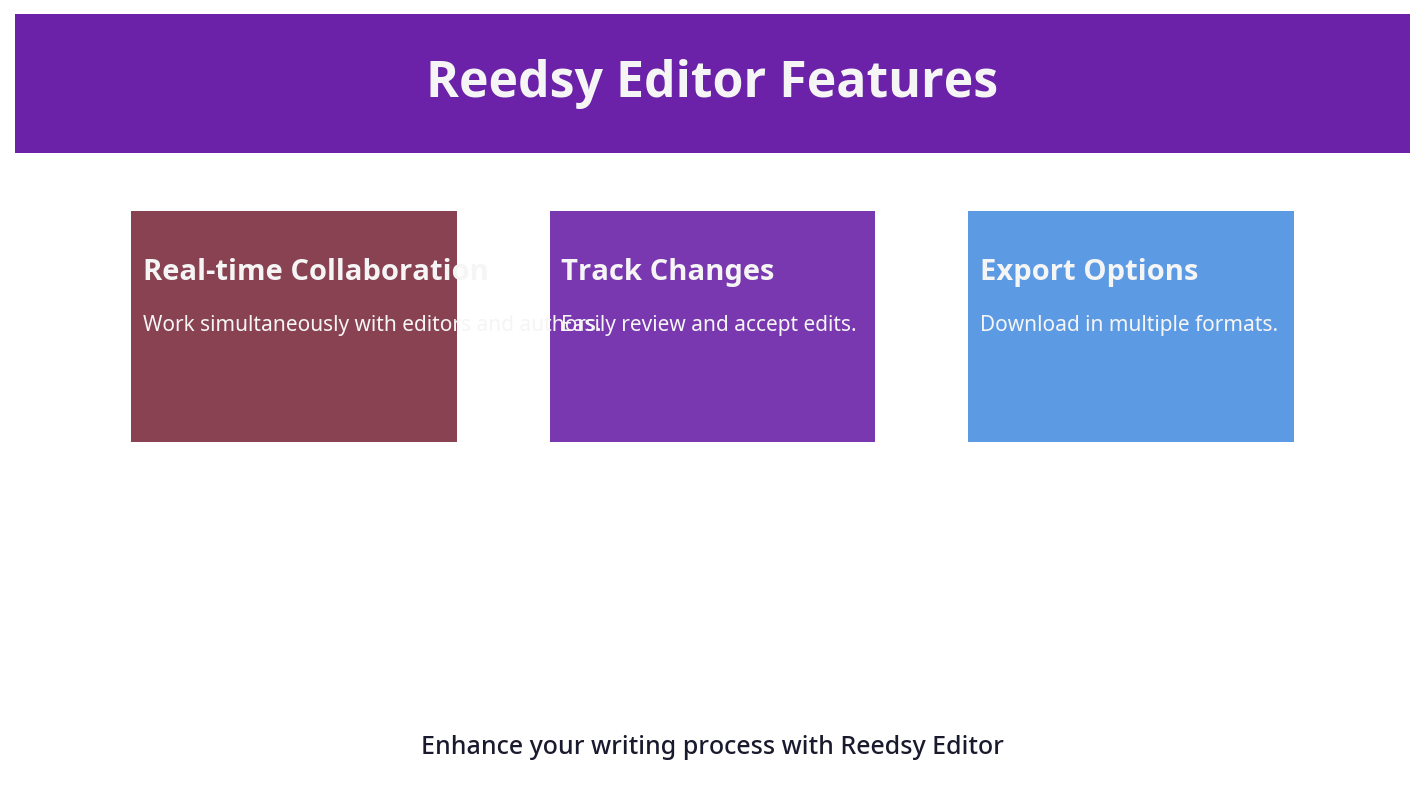
Table of Contents
- Introduction
- What You Need to Know Before Starting
- Step-by-Step Guide to Using Reedsy Book Editor
- UK-Specific Considerations for Reedsy Editor Users
- Common Mistakes and How to Avoid Them
- Tools and Resources to Complement Reedsy Editor
- Cost Breakdown and Pricing in the UK
- Comparison with Alternative Formatting Approaches
- Real-World UK Case Studies and Examples
- Expert Tips from 25 Years in the Industry
- Frequently Asked Questions
Introduction
When I first ventured into self-publishing, I naively believed that writing the book was the hardest part. I was wrong. The process of making a manuscript ready for Kindle Direct Publishing (KDP) and print was a nightmare of file formats, margin settings, and typography. After spending hours wrestling with formatting software and paying over £130 for a formatter who delivered shoddy work, I realised the industry was stuck in the past.
Before building publishing.co.uk, I hired a so-called ’expert’ formatter for £130. The result was terrible. I tried Fiverr next, which was just as bad. The automated tools available at the time were awful. It was a headache before I even started marketing the book.
Enter Reedsy Book Editor — a slick, browser-based manuscript editor promising to simplify the formatting and export process for self-publishers. But does it deliver, especially for UK authors who face unique market realities?
This review is not a generic fluff piece. Drawing on my 25 years in eCommerce and experience self-publishing my own book Google. Panic. Repeat., I provide a detailed, no-nonsense evaluation of Reedsy Editor, with a sharp focus on UK-specific considerations, pricing transparency, and how it fits into the entire self-publishing funnel.
If you’re a UK author weighing up your options, this guide will help you understand whether Reedsy Book Editor is a fit for your needs — or if you should look elsewhere.
What You Need to Know Before Starting
Reedsy Book Editor is a cloud-based manuscript tool designed to streamline the writing-to-publish process. Unlike Word or Scrivener, it focuses on producing clean, KDP-compliant EPUB and print-ready PDFs without the usual headaches of manual formatting.
Key Features at a Glance:
- Real-time collaborative editing
- Automatic formatting for fiction and non-fiction
- Export files ready for KDP, IngramSpark, and other POD platforms
- Built-in tools for chapter organisation, scene breaks, and drop caps
- Free to use with no upfront costs (you pay only if you hire Reedsy’s professional editors)
Why UK Authors Should Care
The UK self-publishing market is growing rapidly, with 68% growth over the past five years and over 750,000 self-published titles competing in a £7.1 billion industry. However, UK authors face some specific challenges:
- ISBNs must be bought from Nielsen at £93 each (or £174 for a block of 10), unlike the Bowker system in the US.
- VAT rules differ: print books are zero-rated, but eBooks are subject to different tax treatments depending on platform and market.
- Print specifications, like A5 trim size and EAN-13 barcodes, are standard in the UK — requiring precise formatting adherence.
Reedsy’s US-centric design sometimes overlooks these nuances, so knowing where to adjust is crucial for UK authors.
Step-by-Step Guide to Using Reedsy Book Editor
Here’s a practical walkthrough for UK authors looking to prepare a manuscript with Reedsy Editor, including navigation hints and tips to avoid common pitfalls.
1. Creating an Account and Starting a Project
- Visit reedsy.com/write and sign up for a free account.
- Click New Project, name your manuscript, and select your genre (fiction or non-fiction). This selection tailors the formatting presets to suit your book type.
2. Importing Your Manuscript
- You can import DOCX or EPUB files.
- Tip: Use Word’s Layout > Margins > Custom Margins to ensure your manuscript has at least 1-inch margins before import. Reedsy will strip excess styling but won’t fix badly formatted source files.
- Avoid manual tabs or inconsistent paragraph spacing in your Word document before import, as Reedsy assumes clean, styled text.
3. Navigating the Editor Interface
- The left sidebar shows your chapters; add, delete, or reorder using drag-and-drop.
- Use the toolbar for formatting options: bold, italics, block quotes, and headings.
- Scene breaks can be inserted with the symbol button — essential for fiction pacing.
- To insert a drop cap (large first letter), highlight the first letter of a paragraph and click the drop cap icon in the toolbar. This adds a professional touch often overlooked by indie authors.
4. Formatting Specifics for UK Print Standards
- Trim size defaults to US Letter or 6x9 inches. For UK print, change to A5 (148 x 210 mm) under Settings > Print Settings > Trim Size.
- Margins and gutters can be adjusted here, remembering that UK POD printers require at least 12 mm gutter for perfect binding.
- Set bleed margins to 3 mm for any full-bleed images. This is especially important if your cover or interior includes images reaching the page edges.
- To access these settings: click the gear icon in the top right corner > select Print Settings > Trim Size dropdown. Choose A5 or input custom dimensions.
5. Adding Front and Back Matter
- Reedsy allows you to add front matter like title pages, copyright, dedications, and a table of contents.
- For back matter, include an About the Author section and ISBN barcode page if printing physical copies.
- Important UK-specific tip: Include a copyright page with the following text to comply with UK law:
© [Year] [Author Name]. All rights reserved. No part of this book may be reproduced in any form without permission. - You can add custom pages via the Add a Page button at the bottom of the chapter list.
6. Exporting Files
- Export options include EPUB for Kindle and other eReaders, PDF for print, and DOCX for further editing.
- Before exporting, preview your book using the built-in reader. Check for orphaned lines, widow paragraphs, or inconsistent heading styles.
- To export, go to the menu (three dots in the upper right), select Export, then choose your preferred format.
UK-Specific Considerations for Reedsy Editor Users
While Reedsy Editor is powerful, UK authors must tweak several settings and processes to align with local market standards.
ISBN and Barcode Integration
- UK authors must purchase ISBNs from Nielsen directly (£93 each or £174 for ten). This is a significant upfront cost compared to the US, where Bowker ISBNs are cheaper and more flexible.
- Reedsy does not provide ISBNs or automatic barcode generation. You’ll need to buy your ISBNs in advance and generate barcodes separately for print books.
- I recommend purchasing a block of 10 ISBNs (£174) if you plan multiple titles—this brings the per-book cost down to £17.40, which is a big saving if you’re serious about publishing.
- For barcode creation, use trusted UK providers like publishing.co.uk or similar services that produce compliant EAN-13 barcodes. Costs typically range between £15 and £40 per barcode.
VAT and Pricing Implications
- Print books are zero-rated for VAT in the UK, but eBooks attract a 20% VAT. This impacts your royalty calculations on platforms like KDP or IngramSpark.
- When pricing your book on Amazon UK, you must factor in VAT on eBooks, platform fees, and shipping costs for print copies. Reedsy Editor does not assist with pricing strategy, so you’ll need to plan this separately.
- For example, if you price an eBook at £3.99, approximately 20% VAT (£0.66) is deducted before royalties, reducing your effective earnings.
Print Specifications and Trim Sizes
- UK print runs favour A5 and B-format (129 x 198 mm) sizes more than US Letter. UK readers expect these sizes on shelves, so sticking with US defaults (6x9 inches) can make your book feel off or less professional.
- Paper stock choices also differ; UK POD services like IngramSpark UK offer 90gsm cream or 80gsm white paper, standard in the UK market. Confirm your choice before exporting, as Reedsy Editor doesn’t provide paper stock options.
- Many UK retailers and libraries prefer A5 or B-format books as they fit shelves better and match consumer expectations.
Distribution Channels
- Reedsy’s export formats are compatible with KDP and IngramSpark, the two most common print-on-demand platforms. However, UK authors often overlook local distributors and independent bookstores that require different file specifications or metadata formats.
- For example, LoveReading.co.uk, the UK’s largest book review platform which I co-own, recommends specific print and metadata standards for discoverability and acceptance.
- If you want to offer your print book to UK bookstores, consider using IngramSpark UK and ensure your files meet their A5 trim and barcode standards.
Common Mistakes and How to Avoid Them
From my experience formatting thousands of books and working with UK authors, here are the pitfalls to watch out for with Reedsy Editor.
Mistake 1: Ignoring UK Trim Size Defaults
Many authors accept Reedsy’s US-centric defaults and end up with a book that looks off or doesn’t fit UK POD specs. Always change your trim size to A5 or B-format before final export. This will save you from costly re-uploads and print proofs.
Mistake 2: Relying Solely on Reedsy for ISBN and Barcode
Reedsy does not handle ISBN purchase or barcode creation. UK authors often miss this, leading to delays or extra costs later. Buy your ISBNs early from Nielsen (https://www.nielsenisbnstore.com) and generate barcodes via trusted UK services or publishing.co.uk.
Mistake 3: Uploading Poorly Formatted Source Files
If you import a DOCX with inconsistent styles or improper paragraph spacing, Reedsy’s auto-formatting won’t fix it. It’s worth spending time cleaning your manuscript in Word first (e.g., removing manual tabs, fixing heading styles).
Mistake 4: Neglecting Front and Back Matter Customisation
Generic front matter or missing copyright pages can damage credibility. Reedsy offers templates but UK copyright law requires specific statements. Check your copyright page carefully, and include acknowledgements or permissions if required.
Mistake 5: Not Previewing the Final Export Rigorously
Many authors skip thorough checks and submit flawed files to KDP or IngramSpark, resulting in rejections or extra costs. Use Reedsy’s previewer and also test your EPUB on devices like Kindle Previewer or Calibre.
Mistake 6: Underestimating the Time Required
Reedsy Editor is user-friendly but expect to spend several hours on learning and fine-tuning. For first-time UK authors juggling trim sizes, barcodes, and VAT considerations, leave at least two weeks before your planned release date for formatting and proofing.
Tools and Resources to Complement Reedsy Editor
While Reedsy Editor is a strong standalone tool, pairing it with other software and services can elevate your self-publishing process, especially in the UK market.
1. Microsoft Word (for manuscript preparation)
- Use Styles for chapter titles, headings, and body text before importing to Reedsy.
- Clean up formatting errors using Reveal Formatting and Show/Hide ¶ features.
- Remove manual tabs and extra spaces — Reedsy prefers clean, styled text to apply its templates effectively.
2. Kindle Previewer
- Download from Amazon to validate your EPUB files and check how they display on various Kindle devices. This step is critical before uploading to KDP UK.
3. Calibre
- Open-source ebook management tool useful for EPUB validation and conversion.
- Use Calibre to test your EPUB on different devices or convert between formats if needed.
4. Barcode Generators (UK-compliant)
- Use services like publishing.co.uk’s barcode creation or Nielsen-recommended providers.
- Ensure your barcode is EAN-13 compliant and matches your ISBN exactly to avoid retail rejection.
5. Professional Formatting Services
- For authors wanting to avoid DIY headaches, companies like publishing.co.uk automate KDP-ready formatting and UK-specific print compliance, saving hours and risk.
- They also handle barcode generation, ISBN integration, and UK-specific front matter — all included in their packages, which generally cost £100–£250.
6. VAT and Royalty Calculators
- Use online tools tailored for the UK market to calculate your net royalties after VAT and platform fees. This will help when setting your retail price.
Cost Breakdown and Pricing in the UK
Reedsy Editor is free to use for manuscript editing and exporting. However, UK authors should consider the entire cost of preparing a book for print and digital distribution.
| Service/Item | Approximate Cost (GBP) | Notes |
|---|---|---|
| Reedsy Editor | Free | No charge for editing or export |
| Nielsen ISBN (Single) | £93 | Essential for print ISBN ownership |
| Nielsen ISBN (Block of 10) | £174 | More cost-effective for multiple titles |
| UK Barcode Generation | £15 - £40 | Publishing.co.uk offers compliant barcodes |
| Professional Cover Design | £300 - £600 | A good cover is critical for sales |
| Professional Formatting | £100 - £250 | Avoid Fiverr; use vetted UK providers like publishing.co.uk |
| Print Proofing (IngramSpark/KDP) | £10 - £20 per copy | For physical quality checks |
| VAT on eBooks | 20% (if applicable) | Varies by platform; print zero-rated |
Realistic Budget Example for a UK Self-Publisher
Let’s say you’re publishing your first book:
- ISBN (single): £93
- Barcode: £25
- Cover Design: £400
- Professional Formatting: £180 (optional)
- Print Proof Copy: £15
- Total: Approximately £713
This upfront investment might seem steep, but it’s crucial for a professional product that sells well in the UK market. I’ve seen authors skimp on ISBNs or formatting only to lose thousands in sales and credibility down the line.
Comparison with Alternative Formatting Approaches
UK authors have several options beyond Reedsy Editor. Here’s how Reedsy stacks up against popular alternatives:
| Tool/Service | Cost (GBP) | UK Print Support | Ease of Use | Key Pros | Key Cons |
|---|---|---|---|---|---|
| Reedsy Book Editor | Free | Partial (manual trim size & barcode) | Moderate | Cloud-based, easy exports, free | Requires manual UK adjustments, no ISBN/barcode |
| Microsoft Word | £100+ (Office 365 subscription) | Limited | Moderate | Familiar to most, powerful styles | Messy exports, complex formatting steps |
| Scrivener | £49 (one-off) | Limited | Moderate | Great for drafting & organisation | Formatting for print is complex |
| Vellum (Mac only) | £100+ | US-centric | Easy | Beautiful layouts, easy export | Not UK-tailored, Mac only, expensive |
| Professional Formatting Services | £100-£250+ | Full UK compliance | N/A | Fully compliant, saves time | Costly upfront investment |
| Atticus.io | £149/year | Limited | Moderate | Cloud-based, simple | UK-specific options limited |
Why Reedsy Editor?
- It’s free and cloud-based — no installation hassles.
- Great for authors who want control but need a solid base formatting tool.
- Perfect if you pair it with UK-specific services for ISBN and barcodes.
Why Consider Professional Services?
- UK print standards and VAT rules can trip you up.
- Professionals save time and reduce the risk of costly mistakes.
- You get a polished product ready to upload to IngramSpark UK or KDP UK without fuss.
Real-World UK Case Studies and Examples
Case Study 1: Jane’s Debut Novel — From Manuscript to Shelf
Jane, a UK-based fiction author, used Reedsy Editor to format her debut novel. She followed my advice to switch to A5 trim size and purchased a block of 10 ISBNs from Nielsen, saving money for future projects. She generated her barcode via publishing.co.uk and uploaded the print-ready PDF to IngramSpark UK.
The print proofs arrived with perfect alignment and margins, and her book was accepted by UK independent bookstores. Jane’s careful attention to UK standards, combined with Reedsy’s ease of use, allowed her to launch on time and within budget.
Case Study 2: Mark’s Non-Fiction Guide — Avoiding VAT Pitfalls
Mark self-published a non-fiction eBook and print edition using Reedsy Editor. He initially priced his eBook at £4.99 but forgot to account for the 20% VAT on digital sales in the UK. After consulting VAT calculators and adjusting his pricing to £5.99, his royalties increased despite the higher price.
Mark also used Kindle Previewer extensively to ensure his EPUB displayed correctly on Kindle devices sold in the UK. His attention to these UK-specific details ensured smooth sales and positive reviews.
Case Study 3: Sarah’s Business Book — Professional Formatting Investment
Sarah tried using Reedsy Editor but struggled with UK print specifications and barcode integration. She opted to invest £200 in a UK-based professional formatting service (publishing.co.uk). The service handled all UK requirements, barcode creation, and IngramSpark-ready PDF exports.
This investment cut her formatting time from weeks to days and gave her peace of mind that her book met UK industry standards. Sarah credits this decision with helping her book launch smoothly into UK independent shops and online retailers.
Expert Tips from 25 Years in the Industry
Embrace Automation, But Don’t Outsource Your Judgement
When I self-published Google. Panic. Repeat., I was technically savvy but found the formatting and KDP preparation a black hole of time and stress. I hired a formatter for £130 who delivered unusable files, then tried Fiverr gigs that were equally poor. The lesson: automated tools like Reedsy Editor are a great start, but understanding the output and UK-specific requirements is vital.
Know Your Market — UK Readers and Retailers Expect Certain Standards
UK print standards differ from the US. Your book’s trim size, margins, and paper stock all affect retailer acceptance and reader satisfaction — don’t cut corners here.
Quality Formatting Is the Foundation of Marketing Success
A beautifully formatted book reduces returns, increases positive reviews, and improves Amazon’s buy box algorithms. If you’re serious about sales, investing in professional formatting or a reliable automated service tailored to UK specs (like publishing.co.uk) pays off.
Integration with Your Publishing Funnel Matters
Formatting is just the first step. Effective Amazon PPC, keyword optimisation, and A+ content require a flawless product. I run MrPrime.com, an agency specialising in Amazon growth, and I can tell you that poor formatting kills marketing campaigns before they start.
Plan Early for ISBNs and Barcodes
Don’t wait until your book is finished to buy ISBNs and generate barcodes. The lead time can be several days, and missing this step delays your entire publishing schedule.
Budget Wisely for Hidden Costs
Reedsy Editor is free, but the ISBN, barcode, cover design, and proofing costs add up. Plan your budget carefully to avoid surprises.
Frequently Asked Questions
What is the most common mistake UK authors make with Reedsy Editor?
The biggest error is ignoring UK print standards, especially trim size and ISBN/barcode integration. Many accept default US settings and don’t purchase proper ISBNs, leading to costly reworks and delays.
How much does Reedsy Editor cost in the UK?
Using Reedsy Editor itself is free. Costs arise from ISBN purchase (£93 per single ISBN from Nielsen), barcode generation (£15-£40), professional cover design (£300+), and optional paid editing or formatting services.
What tools do UK authors recommend alongside Reedsy Editor?
Alongside Reedsy, UK authors often use Microsoft Word for manuscript cleanup, Kindle Previewer for ebook validation, and professional barcode services. For print formatting compliance, services like publishing.co.uk provide trusted UK-tailored solutions.
How long does the Reedsy Editor review and formatting process typically take?
Editing and formatting in Reedsy depends on manuscript length and user expertise but typically ranges from a few days to two weeks. Professional formatting services can reduce this turnaround significantly, sometimes delivering within 3-5 days.
Can I handle Reedsy Editor formatting myself or should I hire a professional?
If you’re comfortable with technical details and UK-specific requirements, you can manage it independently. However, many UK authors benefit from hiring professionals to avoid costly mistakes, delays, and to ensure compliance with UK print and distribution standards.
Are there any UK-specific legal or copyright considerations when using Reedsy Editor?
Yes. UK copyright law requires specific copyright statements in your front or back matter. Reedsy offers templates, but you should customise them to include your name, year, and rights reserved statements. Additionally, VAT considerations on eBooks and print affect pricing strategies.
Publishing a book is hard enough without battling formatting nightmares. Reedsy Editor is a powerful tool that helps, but UK authors must be vigilant about local standards and costs. If you want to avoid the trial-and-error I went through, consider combining Reedsy with expert services like publishing.co.uk that automate print-ready formatting tailored to the UK market.
About the Author
Robert Prime is a best-selling self-published author, veteran eCommerce strategist, and the founder of publishing.co.uk. With over 25 years of experience in digital business and 15 successful exits, he brings a battle-tested perspective to the publishing industry. After experiencing firsthand the archaic, headache-inducing process of formatting a KDP-compliant book for his own best-seller, Google. Panic. Repeat., Robert built publishing.co.uk to solve the problem for other authors. He is also a co-owner of the LoveReading.co.uk network (the UK’s largest book review platform), founder of the Amazon growth agency MrPrime.com, and a member of the Forbes Business Council.
