Rules and printing costs checked on Amazon’s KDP help pages on 26 November 2026.
Quick answer: Put a blank page behind each drawing so every picture has its own sheet; Amazon allows that. Draw lines thick enough to print, and keep any grey fill dark enough to show. Choose 8.5 x 11 inches if you have no reason not to, check the print cost before you choose a page count, declare any AI-generated artwork, and allow 3 to 4 weeks for review.
Colouring books look simple: a cover and a stack of line drawings. In practice they meet a set of KDP rules that novels never do, from blank pages to line weights. Authors also ask whether a colouring book is a “low-content” book, and the answer changes how you set it up.
Would you rather someone else did it? Our book formatting services UK start at £69, VAT included, with files back in 24 hours.
Is it a low-content book?
Usually not. Amazon’s low-content books page lists colouring books and puzzle books as “not generally low-content”, because their pages are not repetitive. Notebooks, planners, diaries and prompt journals are low-content. The difference matters:
- ISBN. Because a colouring book is not usually low-content, the usual ISBN options apply. A low-content book cannot use the free KDP ISBN. Amazon notes there can be exceptions, so if your book is mostly repeated pages, read its low-content page first.
- Review time. Amazon says reviews for low-content books and for activity books such as colouring or puzzle books “might take 3-4 weeks”. Plan your launch date around that.
If your book is a journal or planner instead, see our guide to journals and planners on KDP.
One picture per sheet
KDP prints on both sides of every sheet. In our experience, if you put drawings back to back, pens bleed through and colouring one picture spoils the next. The usual answer is a blank page, or a simple page such as a colour test, behind each drawing.
Amazon’s formatting issues page limits blank pages: no more than 4 in a row at the start or in the middle of the book, and no more than 10 in a row at the end. One blank page between pictures is well inside that. Remember the blanks double your page count, which affects both the price and the maximum number of pictures.
Lines, greys and resolution
Line art lives or dies on print quality. Amazon’s manuscript guidance gives two rules worth applying to colouring pages (checked on 26 November 2026):
- Lines at least 0.75 point thick (0.01 inches, 0.3 mm). Amazon writes this for lines in charts, tables and graphics. In our experience it is worth treating every line in a drawing the same way, because very thin lines are the first to print faintly.
- Grey fills of at least 10%. Amazon recommends this for grey backgrounds in black-ink books. Apply it to any grey shading in your drawings too, so it shows on the page.
Amazon’s image guidance asks for images at a minimum of 300 DPI at their final printed size. Scan or export your drawings at full page size, and never enlarge a small image to fill the page. When your file is finished, our free KDP readiness check looks at it before you upload.
Making the pages
However you make the drawings, by hand, in a drawing app, or with AI help (see the AI section below), each page ends up as one image placed on one page of a PDF. For an 8.5 x 11 inch book without bleed:
- Make each drawing at 300 DPI at full page size. At 8.5 x 11 inches that is 2,550 x 3,300 pixels, using Amazon’s own sum: pixels divided by inches gives DPI.
- Keep the drawing inside the margins. Amazon’s margin table asks for at least 0.25 inches at the top, bottom and outside edge, and an inside margin of 0.375 inches for 24 to 150 pages or 0.5 inches for 151 to 300. For a 100-page book that leaves a drawing area of 7.875 x 10.5 inches. We would leave more, about half an inch all round, because a line on the limit can still be flagged.
- Export in black and white if the book is black ink, so what you see on screen is what prints.
- Put the pages in order with a blank page behind each drawing, as above, and make one PDF.
- Start from a template if it helps. Amazon’s trim page links to Microsoft Word templates you can download in the trim size you need.
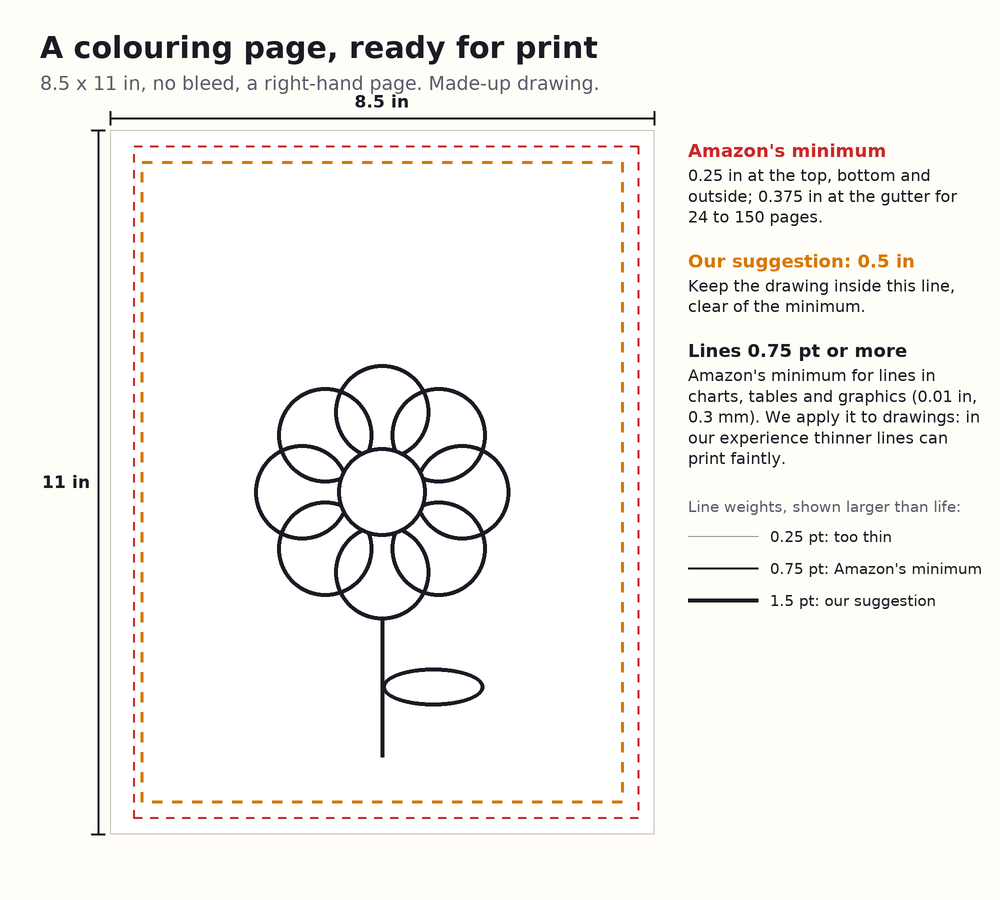
A colouring page at 8.5 x 11 inches with no bleed: Amazon’s minimum margins, our suggested 0.5 inch line, and line weights shown larger than life. Made-up drawing.
Free colouring page template
Free to use for your own books:
- No bleed (PDF, 8.5 x 11 inches, 24 pages): a guide page with the 0.5 inch line, then a blank back, repeated.
- With bleed (PDF, 8.625 x 11.25 inch pages, 24 pages): the same, with the trim line marked for art that runs to the edge.
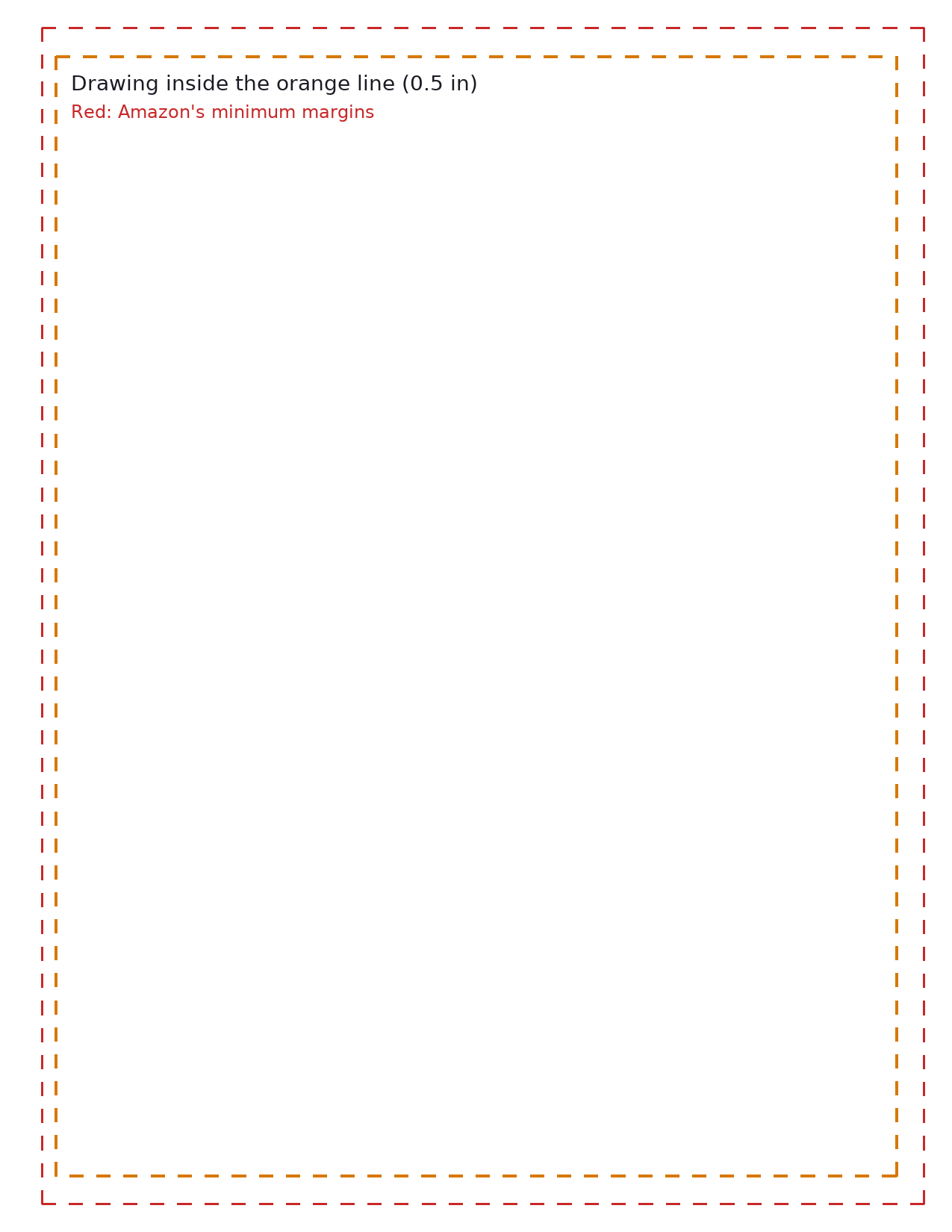
- Overlay (PNG, 8.5 x 11 inches at 150 dpi): the lines on a see-through background, to lay over your drawing. It is set up for a right-hand page, the drawing side, with the gutter on the left; flip it for a left-hand page.
The lines and words are guides. Remove them before you make the file you upload.
In Canva, make a custom design of 8.5 x 11 inches, upload the overlay, stretch it to fill the page and keep it on top while you place each drawing inside the orange line. Delete the overlay before you download a print PDF. For a book with bleed, make the design 8.625 x 11.25 inches and use a page of the bleed PDF as your guide instead: the overlay is sized for a page without bleed, and stretching it would move its lines.
In Word, set the paper size to 8.5 x 11 inches, insert the overlay as a picture behind text at full page size, place your drawing inside the orange line, then delete the overlay before you save the PDF.
Paper, ink and size
Most colouring books are printed in black ink, because readers add the colour. Amazon’s print options page lists cream, white and groundwood paper for black ink. Amazon’s groundwood paper page adds a caution that matters for dense artwork: books with heavy ink coverage are “not eligible or recommended” for groundwood paper, because the ink can show through. In our experience white paper is the usual choice for colouring books.
8.5 x 11 inches is a common colouring book size, and Amazon’s trim size table allows up to 590 pages at that size in black ink on white paper. Anything wider than 6.12 inches or taller than 9 inches is a large trim, so 8.5 x 11 is one.
Most colouring pages have a white border, so they do not need bleed. If a drawing runs right to the edge, the whole book needs bleed; our bleed guide explains the page sizes.
What it costs to print
Amazon’s paperback printing cost table for Amazon.co.uk, checked on 26 November 2026, charges black-ink books of 24 to 110 pages a fixed amount only: £1.93 for a regular trim and £2.15 for a large trim. Above 110 pages, a large-trim book costs £0.85 plus £0.012 a page.
| 8.5 x 11 in, black ink | Printing cost per copy |
|---|---|
| 100 pages (50 pictures, single-sided) | £2.15 |
| 150 pages | £2.65 |
| 200 pages (100 pictures, single-sided) | £3.25 |
Use Amazon’s Printing Cost & Royalty Calculator to check your own price.
AI-generated artwork
Amazon’s content guidelines say you must tell KDP about AI-generated content when you publish, and that “AI-generated images include cover and interior images and artwork”. If you drew the pictures yourself and only used AI tools to tidy them, Amazon calls that AI-assisted, which you do not need to declare.
The cover
The cover sells a colouring book from a thumbnail, so show finished, coloured examples of the inside pages. The spine width comes from the final page count (including the blank backs), so make the cover after the page count is fixed. Amazon’s cover guidance is the source: keep spine text for books of 80 pages or more (Amazon gives 79 as the line in two wordings, and its cover tools need 80).
From our own work
The colouring book we set this year is A4 with bleed, because its artwork runs off the edge of the page. That makes each page 8.395 x 11.94 inches, straight from Amazon’s bleed table, and it has to be uploaded as a PDF. It is under 80 pages, so its spine carries no text. Our delivery check flagged an earlier build of it before it reached the author.
Getting help
We set up colouring books for print: page order with blank backs, line and grey checks, margins and the print PDF. We quote each one after seeing the artwork; send us the files for a fixed price. We also design covers, with a full print wrap and matching ebook cover for £199. See our cover design page, and our guide to formatting complex books for other picture-led books.
Sources, read 26 November 2026: Amazon KDP help pages for low-content books, formatting issues, manuscript files, images, print options, groundwood paper, trim sizes, printing costs, content guidelines and paperback covers.
Frequently asked questions
Can I print a colouring book single-sided on KDP?
KDP prints on both sides of every sheet. To give each picture its own sheet, put a blank page, or a simple page such as a colour test, behind each drawing. Amazon’s limit is no more than 4 blank pages in a row at the start or in the middle, and 10 at the end, so one blank between pictures is fine.
Is a colouring book a low-content book on KDP?
Not usually. Amazon’s low-content page lists colouring books as not generally low-content, because the pages are not repetitive. Amazon notes there can be exceptions. Because a colouring book is not usually low-content, the usual ISBN options apply.
What size should a KDP colouring book be?
8.5 x 11 inches is a common choice, and Amazon’s trim table allows up to 590 pages at that size in black ink on white paper. It is a large trim, so it costs a little more to print than a regular size.
Can I use AI images in a KDP colouring book?
You can, but Amazon’s content guidelines say you must tell KDP about AI-generated content when you publish, and that includes interior artwork. Art you drew yourself and only tidied with AI tools counts as AI-assisted, which does not need declaring.
How long does KDP take to review a colouring book?
Amazon’s low-content page says reviews for activity books, such as colouring or puzzle books, might take 3 to 4 weeks.