How to Upload a Book to KDP: A Complete Walkthrough
By Robert Prime
Last reviewed by Robert Prime — March 2026
Table of Contents
- Introduction
- What You Need to Know Before Starting
- Step-by-Step Guide to Uploading Your Book to KDP
- UK-Specific Considerations When Uploading to KDP
- Common Mistakes and How to Avoid Them
- Tools and Resources to Streamline Your Upload
- Cost Breakdown: What UK Authors Should Expect
- Expert Tips From 25 Years in the Industry
- Real-World Case Studies: UK Authors on KDP
- Comparison With Alternative Publishing Platforms
- Frequently Asked Questions
Introduction
Uploading a book to Amazon’s Kindle Direct Publishing (KDP) platform is often painted as a simple, straightforward process. However, for UK authors, the reality is far more nuanced — a complex maze of technical files, regional pricing strategies, tax forms, ISBN ownership decisions, and formatting challenges.
I know this intimately. When I was formatting Google. Panic. Repeat., writing the book was the easier part. The real ordeal was wrestling with the KDP upload process itself. Despite my technical background and 25 years in digital business, I spent countless hours untangling file problems, navigating Amazon’s US-centric platform, and figuring out how to price my book correctly for UK buyers. This experience exposed just how archaic and headache-inducing the self-publishing process can be, even for seasoned professionals.
This article is a no-nonsense, UK-focused guide that goes well beyond the basic upload steps. It covers everything from terminology, real GBP cost breakdowns, UK tax and VAT insights, to expert tips drawn from my experience running MrPrime.com (an Amazon growth agency) and co-owning LoveReading.co.uk, the UK’s largest book review platform. Whether you’re a first-time self-publisher or looking to streamline your workflow, this walkthrough will give you the clarity you need to avoid common pitfalls and get your book live on Amazon UK efficiently and professionally.
What You Need to Know Before Starting
Before you dive into the upload process, it’s crucial to understand the publishing landscape and the terminology involved—especially from a UK perspective. KDP is Amazon’s self-publishing platform, enabling authors to publish eBooks and print-on-demand paperbacks globally. However, as a UK author, there are nuances that impact your rights, costs, and royalties.
You should have ready:
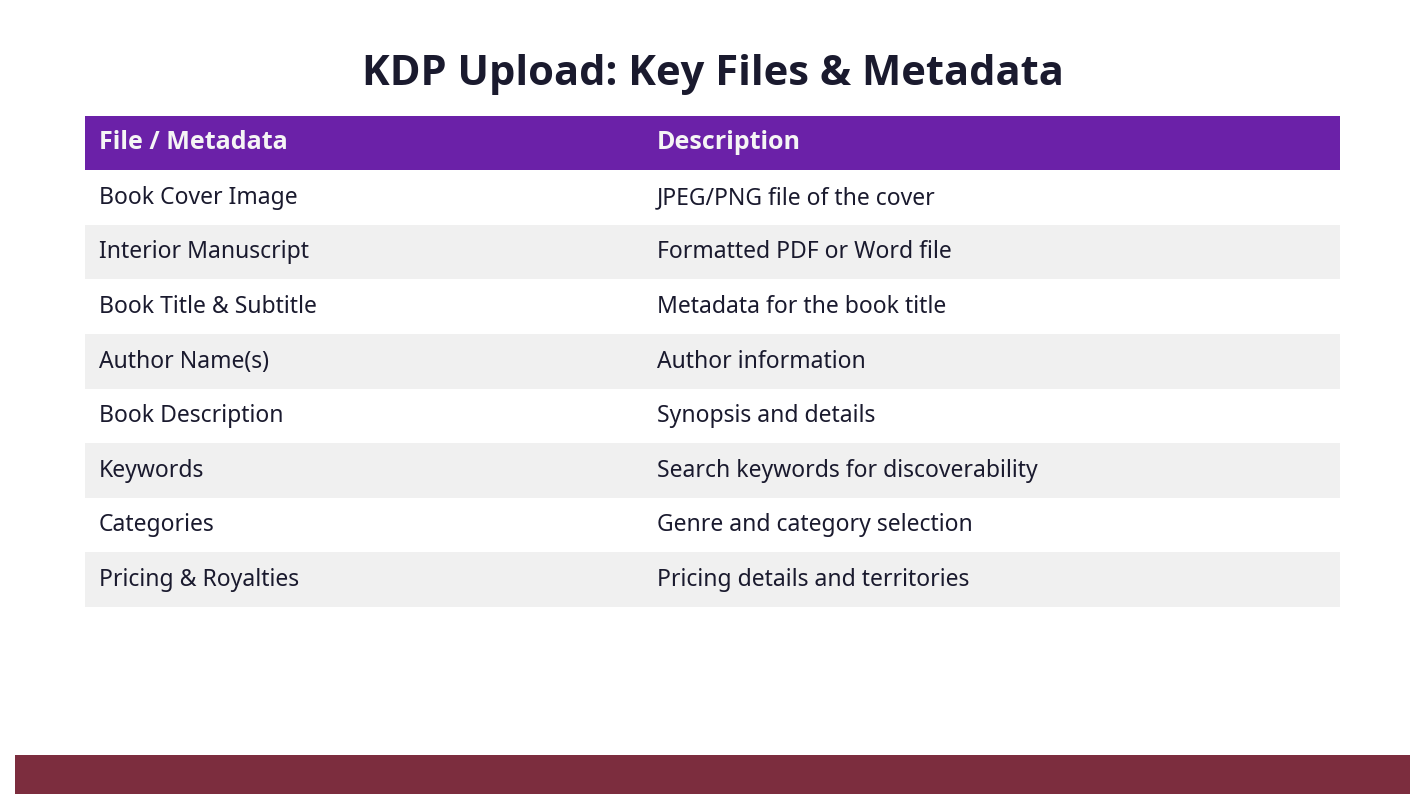
- Manuscript File: Usually a formatted Word DOCX or EPUB for eBooks; a print-ready PDF for paperbacks. KDP has strict formatting requirements, and getting these right is essential to avoid rejection. From my experience, poorly formatted manuscripts are the number one cause of delays and frustration.
- Cover File: Separate high-resolution cover images for eBooks and print books. Print covers are more complex—they include spine and back cover elements.
- ISBN: Amazon offers free ISBNs, but these list Amazon as publisher, not you. UK authors can purchase their own ISBNs through Nielsen Book Services (£93 each or £174 for 10). Owning your ISBN means you retain full publishing rights and control.
- Pricing and Royalty Options: KDP offers 35% or 70% royalty rates depending on price, book type, and territory. Pricing must be set correctly in GBP for UK sales.
- Tax Information: UK authors must complete a W-8BEN form to certify non-US status and avoid 30% withholding. VAT applies differently to eBooks (20%) and print books (zero-rated).
- Metadata: Book title, subtitle, description, keywords, categories, and author details are essential for discoverability on Amazon UK.
Step-by-Step Guide to Uploading Your Book to KDP
Uploading your book takes patience and precision. Here is a detailed breakdown of each step, with exact menu paths and practical tips to avoid errors.
Step 1: Set Up Your KDP Account
- Visit kdp.amazon.co.uk.
- Sign in with your existing Amazon account or create a new one dedicated to publishing.
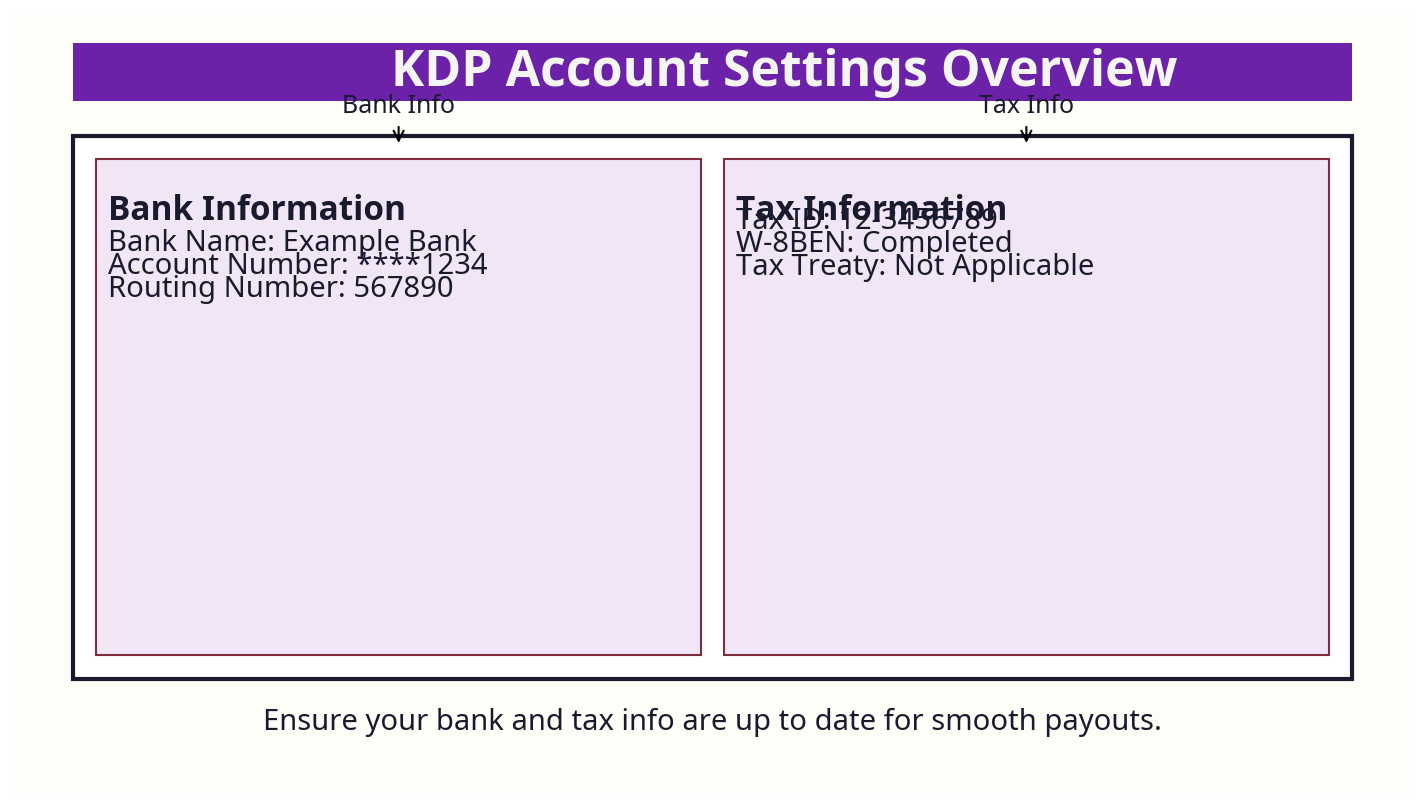
- Navigate to Your Account > Account Settings to complete your profile:
- Enter your UK bank details for royalty payments (sort code/account number).
- Complete the tax interview: select the UK as your country and fill out the IRS W-8BEN form online. This step is crucial to avoid high US tax withholding.
- Double-check your email and contact details for notifications.
Step 2: Create a New Title
- From your KDP dashboard, click “Create New Title”.
- Choose between “Kindle eBook” or “Paperback” (print-on-demand). Note: You can publish both formats separately, but each requires its own upload.
- Name your project clearly to avoid confusion if you have multiple titles.
Step 3: Enter Your Book Details (Metadata)
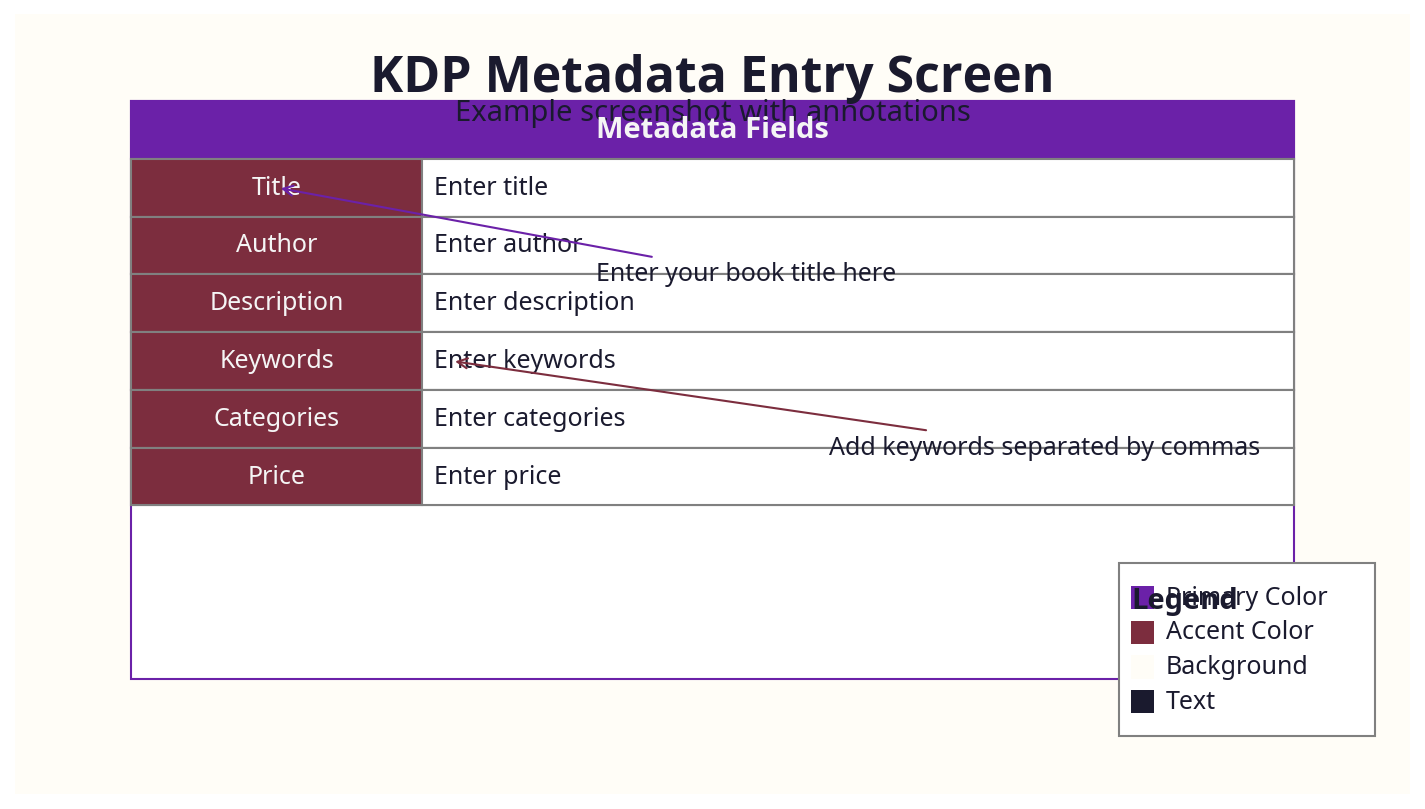
- Book Title and Subtitle: Enter your exact book title without keyword stuffing. UK readers tend to appreciate clarity over gimmicks.
- Series Information: If applicable, add the series name and volume number. This helps readers navigate series order.
- Edition Number: Use if this is a revised edition.
- Author Name: Use your consistent pen or business name. Avoid changing this between books to build brand recognition.
- Contributors: Add editors, illustrators, translators when relevant.
- Book Description: This is your sales pitch. Use HTML tags like
<b>and<i>to add formatting. Keep it concise but compelling. UK readers respond well to straightforward, well-edited descriptions. - Publishing Rights: Confirm you hold the copyright (“I own the copyright and hold necessary publishing rights” is the most common choice).
Step 4: Upload Manuscript and Cover
- Manuscript Upload:
- For eBooks, upload DOCX or EPUB files. I recommend EPUB for best formatting control, but DOCX is acceptable if formatted properly.
- For paperbacks, upload a print-ready PDF matching your selected trim size (e.g., 198 x 129 mm is a popular UK trade paperback size). Include proper margins, bleed, and embedded fonts.
- Cover Upload:
- For eBooks, upload a high-resolution JPEG or TIFF cover image (minimum 1000 pixels width, 2560 recommended).
- For paperbacks, upload a full cover PDF including front, spine, and back cover. KDP’s Cover Creator can help if you don’t have a finished cover.
- Preview Your Book: Use KDP’s online previewer to review your manuscript and cover on desktop and mobile views. Check for formatting glitches, image quality, and page breaks.
Step 5: ISBN and Publication Details
- For paperbacks, either:
- Use a free KDP ISBN (Amazon listed as publisher), or
- Enter your own Nielsen-purchased ISBN to retain your publishing imprint.
- Select Print Options: trim size, paper type (white or cream), bleed settings, and cover finish (matte or gloss).
- Confirm Print Cost shown matches your expectations.
Step 6: Pricing and Distribution
- Set your Royalty Plan:
- For eBooks, 70% royalty applies if priced between £1.99 and £9.99 (GBP), subject to delivery costs. Otherwise, 35%.
- For paperbacks, royalties are 60% of list price minus printing costs.
- Set your List Price in GBP.
- Choose distribution channels — Amazon UK, Europe, and worldwide. UK authors often focus on Amazon.co.uk but consider global reach if your content has wider appeal.
- Note that VAT applies to eBooks (20% included in royalty calculations) but is zero-rated on print books sold in the UK.
Step 7: Publish Your Book
- Review all inputs carefully.
- Click “Publish Your Kindle eBook” or “Publish Your Paperback Book”.
- Amazon usually processes and publishes within 24 to 72 hours. You will receive an email confirmation when live.
UK-Specific Considerations When Uploading to KDP
The majority of KDP guides are US-centric, overlooking critical UK-specific factors that significantly impact your publishing success and compliance.
ISBNs and Publisher Identity
In the UK, ISBNs are exclusively purchased through Nielsen Book Services. A single ISBN costs £93, and a block of 10 costs £174. While KDP offers free ISBNs, these list Amazon as the publisher, which can limit your control over your book’s identity, rights, and future sales outside Amazon.
My own experience: Early in my self-publishing journey, I used free KDP ISBNs for my print books. When I tried to sell wholesale or offer my books to UK bookshops, the Amazon imprint confused buyers and limited opportunities. I had to purchase my own ISBNs and reupload, causing unnecessary delays and costs.
If you intend to build a brand or publish multiple titles, investing in your own ISBN block is a wise business decision.
Pricing and Currency Considerations
Set all your prices in GBP for the UK market. This may seem obvious, but KDP defaults to USD and other currencies depending on your setup.
- Ebooks: The 70% royalty option applies only if priced between £1.99 and £9.99. Pricing outside this range drops royalties to 35%.
- Print Books: Printing costs are deducted from royalties. For example, a 200-page black-and-white paperback costs around £2.40 to print per copy. Set your list price accordingly to maintain a healthy margin.
- VAT: Print books are zero-rated for VAT in the UK, so no VAT is added. However, eBooks are subject to 20% VAT, which Amazon includes in royalties. This explains why you might see a slightly lower payout on eBook sales.
Tax Implications for UK Authors
KDP is a US company, so US tax rules apply. UK authors must:
- Complete the IRS Form W-8BEN via the KDP dashboard (Account Settings > Tax Information). This certifies you as a non-US person and reduces withholding tax from 30% to 0% on royalties.
- Submit this form as soon as you set up your account to avoid excessive tax deductions.
- Declare your KDP income to HM Revenue & Customs (HMRC) as self-employed or business income.
- Consider VAT implications — if you sell over the VAT registration threshold (£85,000), you may need to register for VAT, although this is uncommon for most authors.
Banking and Payment Schedules
- Amazon pays royalties approximately 60 days after the end of the month in which the sale occurred.
- Payments are made via direct deposit to your UK bank account—enter these details carefully to avoid delays.
- Minimum payout threshold is low (£10 or equivalent).
- Keep an eye on currency conversion rates if you receive payments in USD or EUR.
UK Market Size and Reader Preferences
The UK book market generated around £7.1 billion in revenue in 2023, with self-publishing growing 68% over the past five years. UK readers have distinct preferences:
- Popular print sizes include 198 x 129 mm (trade paperback) and 210 x 148 mm (A5).
- UK readers tend to favour clear British English spelling and grammar—ensure your manuscript matches these standards to avoid alienating your audience.
- Genres such as crime, romance, and non-fiction business titles perform strongly.
- Metadata should be tailored for UK search terms and categories.
[IMAGE CALLOUT: Chart showing UK book market revenue and genre popularity]
Common Mistakes and How to Avoid Them
From formatting disasters to tax traps, here are the biggest mistakes UK authors make when uploading to KDP.
Mistake 1: Using Free KDP ISBNs Without Understanding the Implications
Free ISBNs list Amazon as the publisher, which can block you from selling in bookstores or other channels under your own imprint. I made this mistake early on and had to repurchase ISBNs, reformat, and reupload—wasting time and money.
Tip: Purchase your own Nielsen ISBNs if you want full control.
Mistake 2: Uploading Improperly Formatted Manuscripts
KDP rejects files with incorrect margins, missing bleed, or non-embedded fonts. Before building publishing.co.uk, I hired a so-called ’expert’ formatter for £130 who delivered a file Amazon rejected multiple times. The fix involved learning trim sizes, margins, and font embedding—knowledge that many authors overlook.
Tip: Use professional formatting services like publishing.co.uk or learn KDP’s trim size specs thoroughly before uploading.
Mistake 3: Setting Incorrect Pricing
Pricing your eBook outside the £1.99–£9.99 range forfeits the 70% royalty. Pricing print books too low leaves you with minimal profit after printing costs. Many UK authors also forget to price in GBP or misunderstand VAT implications.
Tip: Research UK market prices for comparable books and set prices strategically.
Mistake 4: Neglecting Tax Forms
Failing to complete the W-8BEN form leads to 30% tax withholding on royalties. Amazon’s tax interview is easy to miss but vital.
Tip: Complete your tax interview immediately after account setup.
Mistake 5: Overlooking Metadata Quality
Generic or keyword-stuffed descriptions reduce discoverability. UK readers favour professionally written descriptions with clear, relevant keywords and categories.
Tip: Spend time crafting metadata tailored for the UK market.
Tools and Resources to Streamline Your Upload
No author should waste hours battling formatting issues or tax forms. Here are tools designed to save you time and frustration:
- publishing.co.uk: Our automated UK-focused formatting service outputs KDP-compliant EPUBs and PDFs tailored to UK trim sizes and market expectations. Having built this platform after my own formatting nightmare, I can vouch for its precision and UK market fit. We also provide expert consulting on ISBNs and tax setup to avoid cowboy freelancers and overcomplicated systems.
- Kindle Previewer: Amazon’s official tool to preview eBooks on desktop and simulated devices.
- Calibre: Free, open-source software for converting and managing eBook files. Helpful for generating EPUB or MOBI files.
- Nielsen ISBN Agency: The only UK ISBN provider. Buy ISBNs at nielsenisbnstore.com.
- HMRC website: For VAT and tax guidance on self-publishing income in the UK.
- Amazon Tax Interview: Complete this via Account Settings > Tax Information on KDP.
[IMAGE CALLOUT: Flowchart of the upload process highlighting where professional formatting and tax steps fit]
Cost Breakdown: What UK Authors Should Expect
Understanding real-world costs in GBP is essential for budgeting.
| Item | Typical UK Cost | Notes |
|---|---|---|
| Nielsen ISBN | £93 (single), £174 (10) | Owning your ISBN ensures rights and control. |
| Cover Design | £300–£600 | Quality UK designers charge this range. |
| Formatting | £100–£300+ | Professional formatting or automated services. |
| Printing Cost (Paperback) | £2.20–£4.00 per copy | Varies by page count, paper type, and trim size. |
| Amazon KDP Fees | None upfront | Amazon deducts printing cost and takes royalty percentage. |
| Tax Filing / Accounting | £100+ annually | If you engage an accountant for tax purposes. |
Many authors underestimate formatting costs, expecting cheap gigs to suffice. From experience, these often result in unusable files and costly rework. Investing in professional formatting upfront saves time and money.
[IMAGE CALLOUT: Bar chart comparing typical UK self-publishing costs]
Expert Tips From 25 Years in the Industry
Here are my no-nonsense, business-oriented tips for UK authors:
- Metadata is Marketing: Your metadata is the primary marketing tool on Amazon. Spend time researching UK-based keywords and categories. Tools like Publisher Rocket (US-centric) can be adapted with manual tweaks.
- Own Your ISBN: Avoid free KDP ISBNs unless testing. Owning your ISBN means you control your publishing imprint, essential for future growth or rights sales.
- Format for UK Readers: Use UK trim sizes (198 x 129 mm for trade paperback) and British English spelling. UK readers notice sloppy localisation.
- Test Upload Early: Upload drafts and preview often. Catching errors early saves massive headaches.
- Invest in Cover Design: The UK market is discerning. A professional cover is an investment in sales.
- Plan for VAT and Tax: Consult a UK accountant familiar with self-publishing income to optimise your tax position.
- Build a Brand, Not Just a Book: Think long-term. Your ISBNs, pricing, and metadata all contribute to your author brand.
Real-World Case Studies: UK Authors on KDP
Case Study 1: Sarah’s Crime Thriller Success
Sarah, a London-based crime writer, uploaded her debut paperback and ebook to KDP. She invested £174 in a block of 10 ISBNs from Nielsen and hired a UK designer for her cover. She priced her ebook at £3.99 to maximise the 70% royalty and set her paperback at £9.99, balancing printing costs and market expectations.
By carefully tailoring her metadata with UK-specific keywords and categories, Sarah’s book reached the top 10 in Amazon UK’s crime paperback chart within three weeks. She credits early tax form completion and professional formatting for smooth royalties and positive reader reviews.
Case Study 2: James’ Business Non-Fiction Journey
James, an entrepreneur from Manchester, self-published a business guide through KDP. He initially used free KDP ISBNs but found it hard to get his book stocked in local bookshops. After purchasing Nielsen ISBNs and reuploading, he gained more control and credibility.
James also used publishing.co.uk’s formatting service to ensure UK trim sizes and professional layout. Pricing his ebook at £7.99 and paperback at £14.99, he optimised royalties while matching market standards. He reports consistent monthly royalty payments with no unexpected tax deductions thanks to correctly completed W-8BEN forms.
Comparison With Alternative Publishing Platforms
While KDP dominates self-publishing, UK authors should consider alternatives, especially for print:
| Platform | Strengths | UK-Specific Notes | Costs |
|---|---|---|---|
| KDP | Global reach, print-on-demand, easy upload | Strong UK presence, but US-centric interface | Free upload, printing fees only |
| IngramSpark | Wider print distribution, bookstore access | Better for bookstore sales, but setup fees apply | £49 setup fee + print costs |
| Apple Books | Large ebook market, good for Apple users | No print option, VAT applies | Free upload |
| Draft2Digital | Aggregates to multiple ebook retailers | Supports UK markets, no print | Free upload, royalty share |
| Lulu | Print-on-demand options, global distribution | More print options but higher costs | £25 setup + print costs |
For UK authors serious about print distribution beyond Amazon, IngramSpark is worth considering, despite upfront fees. KDP’s free ISBNs remain US-centric, whereas IngramSpark allows your own ISBNs for better control. However, KDP’s integration with Amazon UK remains unmatched for ease and reach.
[IMAGE CALLOUT: Comparison table visual of KDP vs IngramSpark vs Lulu]
Frequently Asked Questions
What is the most common mistake UK authors make when uploading to KDP?
Using free KDP ISBNs without realising Amazon becomes the listed publisher, limiting rights and branding. Another is neglecting to complete the W-8BEN tax form, leading to 30% US tax withholding.
How much does uploading a book to KDP cost in the UK?
Uploading is free, but expect to spend around £93+ on ISBNs, £300–£600 on cover design, £100+ on professional formatting, plus printing costs (~£2.20+ per paperback copy). Tax and accounting fees may also apply.
Can I use free KDP ISBNs if I only plan to sell on Amazon UK?
Yes, but your book will list Amazon as the publisher. This may limit rights if you want to sell wholesale, to libraries, or in physical bookstores. Owning your own ISBNs is advisable for professional control.
How long does it take for my book to appear on Amazon UK after uploading?
Amazon usually publishes within 24 to 72 hours after you click “Publish.” However, it can sometimes take longer during peak periods.
Do I need to worry about VAT when selling books through KDP in the UK?
Yes. Print books sold in the UK are zero-rated for VAT, so no VAT is charged. Ebooks attract 20% VAT, which Amazon deducts before paying royalties.
Should I hire a professional to help upload my book to KDP?
If you’re confident with formatting, metadata, pricing, and tax forms, you can DIY. However, most UK authors save time and avoid costly mistakes by using professional formatting services and expert advice on ISBNs and tax. Services like publishing.co.uk specialise in UK market requirements, helping you avoid cowboy freelancers and the headache of trial-and-error formatting.
Uploading a book to KDP from the UK can feel like navigating a minefield, but with the right preparation, tools, and knowledge of UK-specific factors, it’s entirely manageable. From my own experience, the biggest gains come from owning your ISBNs, investing in quality formatting, and mastering metadata to reach UK readers effectively.
If you want to avoid the frustration I faced—hours lost on formatting nightmares and inconsistent file types—consider leveraging professional services like publishing.co.uk, built specifically to handle the peculiarities of the UK market and Amazon’s exacting requirements.
About the Author
Robert Prime is a best-selling self-published author, veteran eCommerce strategist, and founder of publishing.co.uk. With over 25 years of experience in digital business and 15 successful exits, he brings a battle-tested perspective to publishing. After experiencing firsthand the archaic, headache-inducing process of formatting a KDP-compliant book for his own bestseller Google. Panic. Repeat., Robert built publishing.co.uk to solve the problem for other authors. He is also a co-owner of the LoveReading.co.uk network (the UK’s largest book review platform), founder of the Amazon growth agency MrPrime.com, and a member of the Forbes Business Council.
Published by Publishing.co.uk — The UK’s trusted self-publishing partner.
