Last reviewed by Robert Prime — June 2026
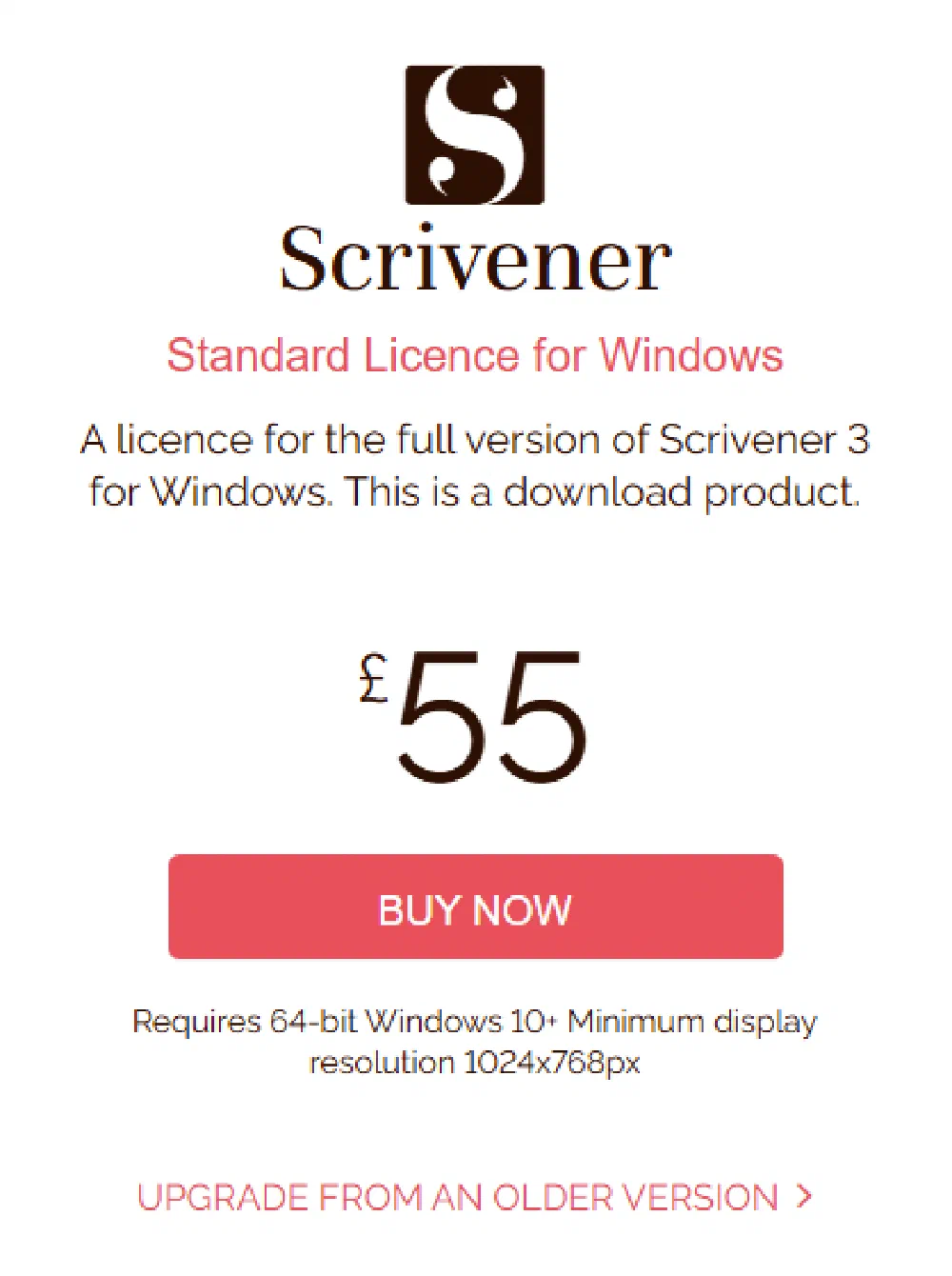
Quick Answer: Scrivener is a one-time purchase, not a subscription. The standard licence for macOS or Windows is £55, billed in pounds — Literature & Latte is a UK company, so unlike most writing software you are not paying a converted dollar price. Checked on their own store on 9 August 2026. A macOS + Windows bundle is $95.98, the educational licence is $50.99, and the iOS app is $23.99. There’s a free trial of 30 days of actual use (not 30 calendar days), but Scrivener is not free permanently. One important caveat: Scrivener is a writing and organising tool, not a dedicated book formatter — you’ll still need a formatter or a service to produce a polished KDP file.
Full breakdown below.
Scrivener pricing at a glance
| Licence | Price (USD) | Approx. UK cost | Who it’s for |
|---|---|---|---|
| Standard — macOS | $59.99 | ~£45 (verify) | Mac writers |
| Standard — Windows | $59.99 | ~£45 (verify) | Windows writers |
| macOS + Windows bundle | $95.98 | ~£75–£77 (verify) | Writers who switch between both |
| Educational (students/academics) | $50.99 | ~£40–£41 (verify) | Verified students and academics |
| iOS app (iPhone/iPad) | $23.99 | ~£19 (verify) | Writing on the move; syncs via Dropbox |
Prices are set in USD by Literature & Latte (the developer) and were correct at the time of writing (June 2026). There is no separate UK store — you pay the dollar price and your card handles the conversion, so the pound figure shifts with the exchange rate. Searching “how much is Scrivener” or “Scrivener price UK” instead? Same answer: about £45 for a standard licence, paid once.
Is Scrivener a subscription? No — it’s a one-off
This is the question I get most, because so much writing software has gone subscription-only. Scrivener has not. You pay once and you own that version. There’s no monthly fee, no annual renewal, nothing that switches off if you stop paying.
A single licence also covers all of your own computers on the same platform — household use. So one $59.99 macOS licence works on your iMac and your MacBook. The one thing it won’t do is cross platforms: a macOS licence doesn’t unlock the Windows version, which is why the $95.98 bundle exists for people who work on both.
On updates: historically, minor and major-point updates have been free, and big paid jumps have been rare and modestly priced (the version 2 to version 3 upgrade was a paid upgrade, not a fresh full-price purchase). That said, free upgrades forever aren’t a guarantee — treat a future paid upgrade as possible and verify the current upgrade policy on Literature & Latte’s site before you bank on it.
Is Scrivener free? The trial, explained properly
Scrivener is not free permanently, but the trial is unusually generous and widely misunderstood.
The free trial is 30 days of actual use — not 30 calendar days. The counter only ticks on days you actually open the program. Use it three days a week and your “30 days” stretches across roughly two and a half months. It’s the full version, not a crippled demo, so you can write a whole manuscript inside the trial if you’re a part-time writer.
Once you’ve used your 30 days, it stops working until you buy a licence — but your files are yours and open straight back up once you’ve paid. My honest advice: install the trial, write with it properly for a few sessions, and only pay once you know it suits how you work. At under fifty quid for a tool you may use for years, the decision usually makes itself.
What Scrivener actually is (and what it isn’t)
Here’s the bit that saves UK authors a lot of frustration, so read it before you buy.
Scrivener is a writing, drafting and organising tool. It’s the long-document environment that serious authors love: a binder to break your book into scenes and chapters you can drag around, a corkboard for plotting, a research folder to keep notes and images beside your text, distraction-free composition, word-count targets, and the ability to hold an entire book in one project without it grinding to a halt. For getting the words down and structured, it’s excellent.
What Scrivener is not is a dedicated book formatter. Its Compile feature can export to EPUB, PDF and Word, and that’s genuinely useful for a first draft or a quick proof. But Compile is fiddly, and the output rarely matches the polished print typography Amazon readers expect — consistent margins, proper running headers, correct trim-size handling, clean chapter openers, and the rest. Authors who care about how the finished book looks almost always draft in Scrivener and finish elsewhere.
So the realistic toolchain for a KDP book is: write in Scrivener, then format the finished manuscript in a dedicated formatter or hand it to a service.
UK considerations before you buy
A few things specific to publishing from the UK:
- You’re billed in USD. Budget for a small currency-conversion margin and possibly a non-sterling transaction fee from your card provider. The headline “£45” can land a pound or two higher once your bank’s done with it.
- VAT on ebooks is 0% in the UK (ebooks have been zero-rated for UK VAT since 1 May 2020), but VAT still applies at 20% to most digital software and services — so don’t assume a tool is VAT-free just because the books you’ll sell are.
- ISBNs are separate from your software spend. If you want to own your ISBN, UK ISBNs come from Nielsen — about £93 for a single (inc VAT) or £174 for a block of 10 at the time of writing. Or use the free KDP-assigned ISBN, which you don’t own but which costs nothing. Scrivener doesn’t supply ISBNs.
- Trim size lives in your formatter, not Scrivener. UK authors often want B-format (129 × 198 mm) for a classic British paperback feel; you’ll set that in your formatting step, after Scrivener.
What you still need for a KDP-ready file
Once your draft is finished in Scrivener, you have three sensible routes to a print- and Kindle-ready file:
- A dedicated formatter you run yourself. Vellum (Mac-only, £159.99–£199.99 one-off — verify) produces beautiful output fast; Atticus (cross-platform, $147 one-off — verify) is the main rival and works on Windows. Both are a step up from Scrivener’s Compile for finished books.
- Export from Scrivener and tidy in Word, then format from there — workable but the most manual route.
- Hand it to a service. This is what publishing.co.uk/format is for: send your finished manuscript and get a guaranteed KDP-ready interior PDF and Kindle file back, from £69 — cheaper than buying a formatter outright if you’ve only got one or two books in you.
Common mistakes
- Expecting Scrivener to be your formatter. It’s a writing tool. Plan for a separate formatting step and you’ll save yourself a stressful week before launch.
- Assuming a UK price. There isn’t one — you pay USD and convert.
- Letting the trial lapse without testing properly. Use the 30 used days deliberately; don’t waste them launching the app once.
- Buying the wrong platform licence. A macOS licence won’t run on Windows. If you split your time, the bundle is cheaper than buying twice.
- Uploading a Scrivener Compile export to KDP unchecked. Run it through a readiness check first (below) — the export quirks tend to surface as rejected files or wonky margins.
Quick verdict
Choose Scrivener if: you want a powerful, one-off, non-subscription environment to write and organise a long book, you value structure and research-in-context, and you’re happy to format separately afterwards.
Choose a dedicated formatter (or service) if: your draft is already done and your priority is a polished, KDP-ready print and Kindle file — that’s a formatting job, not a writing one.
Best alternative: for the formatting half of the job, compare a tool like Vellum or Atticus, or skip the software entirely and have publishing.co.uk/format turn your finished Scrivener draft into a guaranteed KDP-ready file from £69.
Frequently asked questions
How much is Scrivener in the UK?
There’s no separate UK price — Literature & Latte set prices in USD. A standard macOS or Windows licence is $59.99, which works out at roughly £45 at typical exchange rates (verify, as your card does the conversion and rates move). It’s a one-off payment, not a subscription.
Is Scrivener free?
Not permanently. There’s a full-featured free trial of 30 days of actual use — it only counts the days you actually open it, so it can stretch over months. After those 30 used days it stops until you buy a licence.
Is Scrivener a one-time purchase or a subscription?
A one-time purchase. You pay once, own that version, and can install it on all your own computers on the same platform. Major-version upgrades have historically been free or a low-cost paid upgrade, but that isn’t guaranteed forever — verify the current policy before relying on it.
Can I format my book for KDP in Scrivener?
You can export from Scrivener’s Compile feature to EPUB, PDF or Word, and it’s fine for a rough proof. But Scrivener is a writing tool, not a dedicated formatter, and Compile rarely matches the polished print typography KDP readers expect. Most authors draft in Scrivener and finish in a formatter like Vellum or Atticus — or use a service like publishing.co.uk/format.
Where can I check my book before I upload it?
Run a free KDP Readiness Score — it catches 35+ common issues in about 60 seconds, no signup. If anything fails, the report tells you exactly what to fix.
About this guide
Written by Robert Prime for publishing.co.uk. Last reviewed June 2026. Specs and pricing change — verify current figures with the linked sources before relying on them.
Related guides