title: “The Best Free Book Cover Design Tools for UK Self-Publishers” date: 2026-03-20 slug: “free-book-cover-design-tools” author: “Robert Prime” description: “The best free book cover design tools for self-published authors — from Canva and Adobe Express to KDP Cover Creator, compared honestly.” keywords: [“free book cover design tools”] draft: false
The Best Free Book Cover Design Tools for UK Self-Publishers
By Robert Prime
Last reviewed by Robert Prime — March 2026
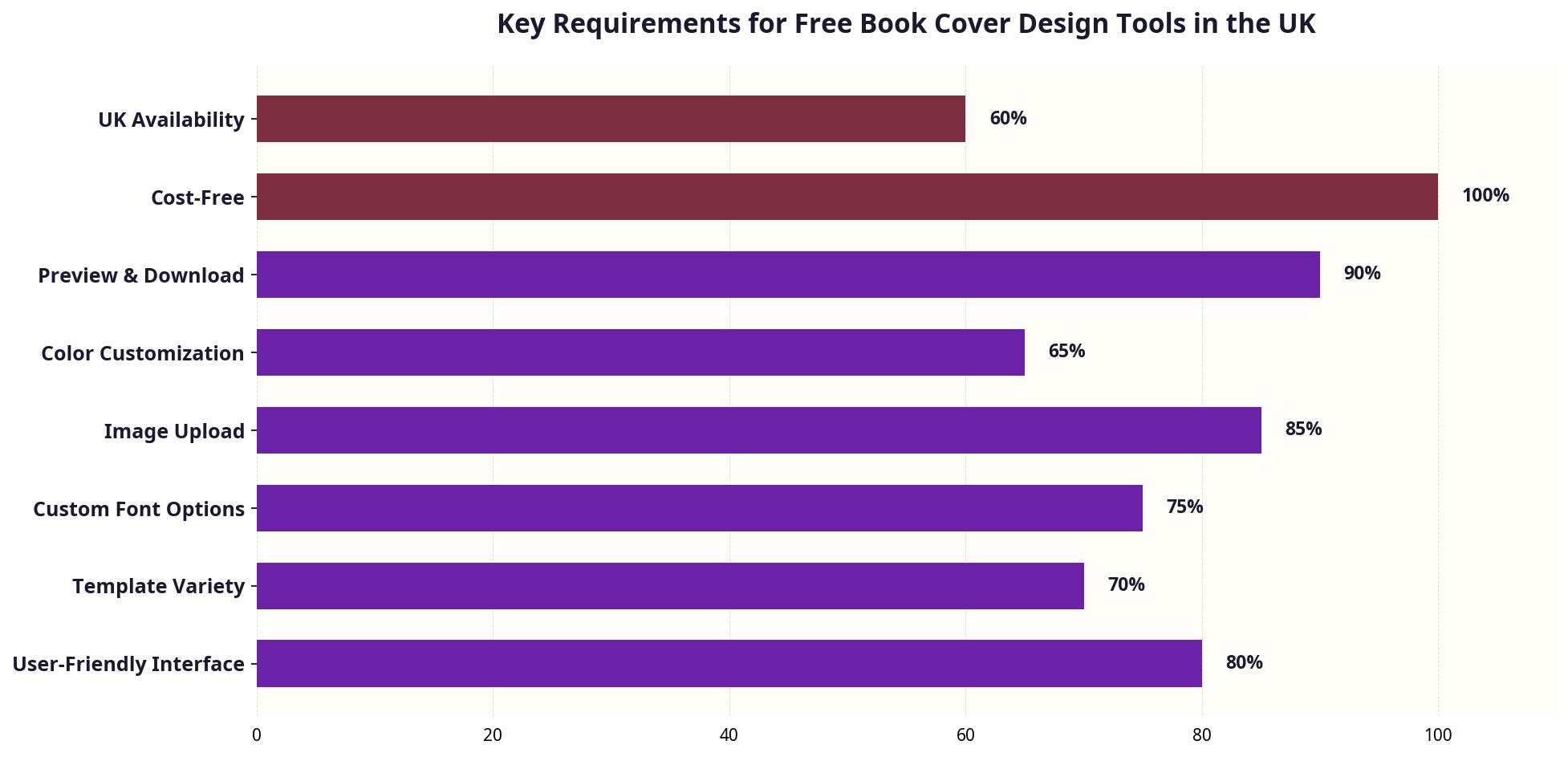
Self-publishing in the UK is booming, with over 750,000 self-published titles and a market worth £7.1 billion in 2023. But despite this growth, many authors face a major stumbling block: creating a professional-quality book cover without breaking the bank. Free book cover design tools promise an accessible path, but the reality is often more complicated. In my 25 years working at the crossroads of eCommerce and publishing—including my own experience self-publishing Google. Panic. Repeat.—I’ve seen countless authors get frustrated by these tools, often wasting time and money on subpar results.
When I was formatting Google. Panic. Repeat., I thought writing was the hard part. I was wrong. The real nightmare was getting a KDP-ready cover that met all technical specs without spending a fortune. Before building publishing.co.uk, I hired a so-called ’expert’ formatter for £130 who delivered a mess. I tried free tools and Fiverr gigs next, but the results were often worse. This experience shaped how I approach cover design advice today.
This article is a comprehensive, no-nonsense UK-focused guide to free book cover design tools. I’ll explain what you need to know before you start, walk you through practical steps, highlight UK-specific considerations, expose common mistakes, and share my expert tips to help you design a cover that actually sells—not just looks good on screen. Along the way, I’ll also show where professional formatting services like publishing.co.uk fit into the picture, ensuring your cover and interior work seamlessly together.
Table of Contents
- What You Need to Know Before Starting
- Step-by-Step Guide to Using Free Book Cover Design Tools
- UK-Specific Considerations for Book Covers
- Common Mistakes and How to Avoid Them
- Tools and Resources: Which Free Book Cover Design Tools Work Best?
- Cost Breakdown: The Real Price of “Free” in the UK
- Expert Tips from 25 Years in eCommerce and Publishing
- Frequently Asked Questions
What You Need to Know Before Starting
Before you dive into any free book cover design tool, it’s crucial to understand that “free” doesn’t mean “easy” or “perfect.” The publishing industry, particularly self-publishing on platforms like Amazon KDP, remains frustratingly archaic. When I first self-published Google. Panic. Repeat., I was more technically savvy than most, but formatting the book and designing the cover took hours of painful trial and error. The tools available then—and many now—offer limited customisation, confusing file requirements, and hidden costs.
A professional cover is more than just a pretty image. It must meet exact specifications for dimensions, resolution, colour profiles, and bleed. UK-specific factors like ISBN barcodes, pricing in £, and retail standards also come into play. If these requirements aren’t met, your book can be rejected or look unprofessional in print and online.
Here’s what you should have clear in your mind before you start designing:
Trim Size: Know the exact dimensions of your book. Common UK paperback sizes include 5”x8” (127mm x 203mm) and 6”x9” (152mm x 229mm). The cover must fit these precisely.
Spine Width: Calculated based on page count and paper thickness. It’s a detail many DIY authors overlook, resulting in awkward, off-centre spines.
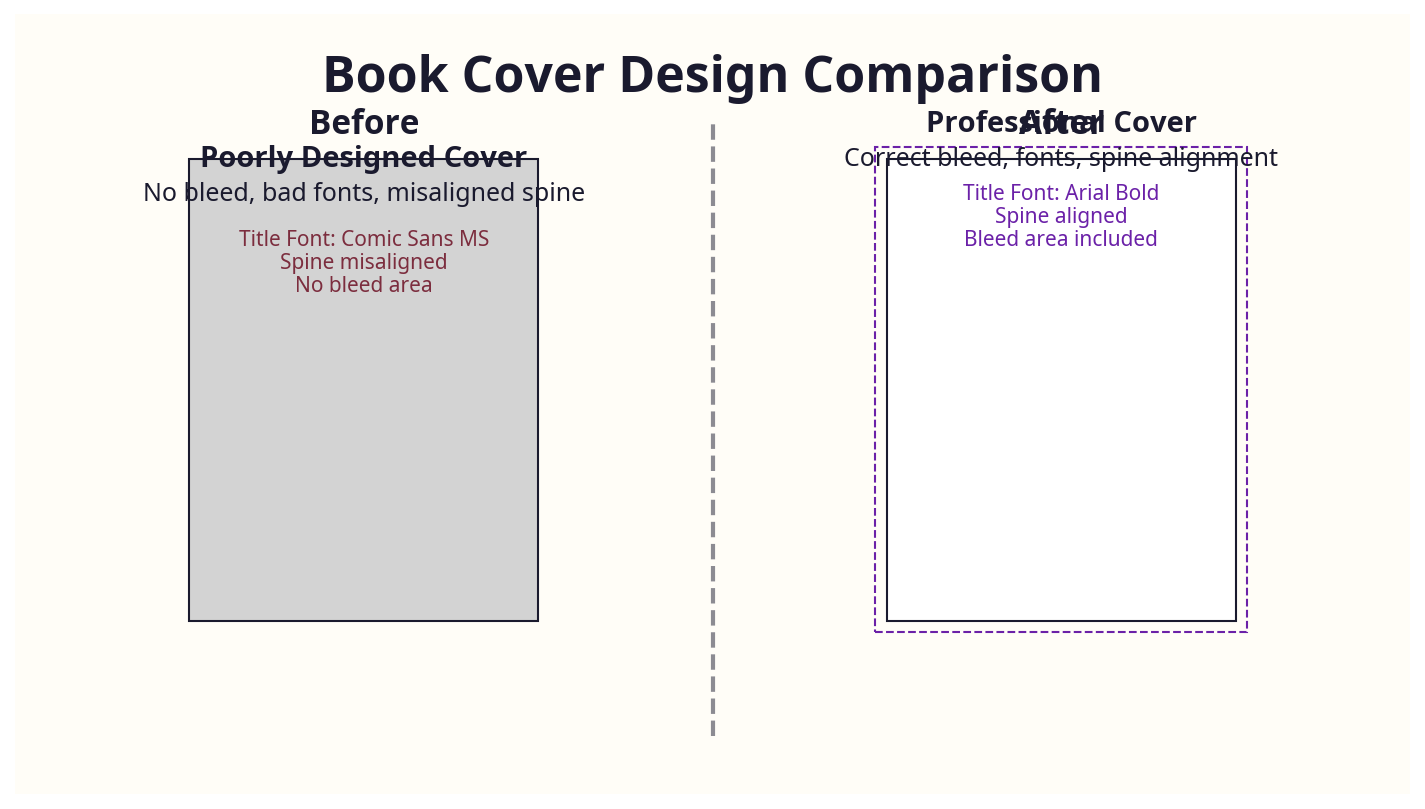
Bleed: Covers for print require bleed—extra image area beyond the trim edges to avoid white borders after cutting. Usually 3mm on all sides.
Resolution: Minimum 300 dpi (dots per inch) is required for print quality.
Colour Mode: Print covers use CMYK, while digital covers use RGB. Most free tools default to RGB, which can cause colour shifts in print.
File Format: KDP accepts PDF, TIFF, PNG, and JPEG for covers, but PDF with embedded fonts is usually recommended for print.
ISBN and Barcode: In the UK, ISBNs cost £93 each when bought singly from Nielsen. Amazon offers free ISBNs, but they list Amazon as the publisher, which some authors want to avoid. Your cover must include an EAN-13 barcode representing this ISBN.
Understanding these technicalities upfront saves hours of frustration later.
Step-by-Step Guide to Using Free Book Cover Design Tools
Using free tools is tempting, but without a clear workflow, you risk producing a cover that looks amateurish or doesn’t meet KDP’s strict requirements.
Step 1: Gather Your Book Specifications
- Confirm your trim size and page count.
- Calculate your spine width: For example, Amazon KDP uses 0.002252 inches per page for cream paper. For 300 pages, spine width = 0.002252 x 300 = 0.6756 inches (~17.15mm).
- Note down the exact cover dimensions including bleed:
Width = (front + back + spine + 2 x bleed)
Height = trim height + 2 x bleed
Step 2: Choose a Free Design Tool
Popular free options include Canva, GIMP, and Adobe Express. Each has pros and cons (covered in detail later).
Step 3: Set Up Your Design Canvas
Most tools allow you to set custom dimensions in pixels. To convert mm to pixels at 300 dpi:
Pixels = (mm / 25.4) x 300
For example, a 6”x9” book with a 0.6756” spine and 3mm bleed results in:
- Width = (6 + 6 + 0.6756) + (2 x 0.118) inches = 12.6756 + 0.236 = 12.9116 inches
- In pixels: 12.9116 x 300 = 3873 pixels wide
- Height: 9 + (2 x 0.118) = 9.236 inches
- In pixels: 9.236 x 300 = 2771 pixels high
Set your canvas to 3873 x 2771 pixels.
Step 4: Design Your Cover
- Use high-resolution images (avoid low-res stock or downloaded images).
- Pay attention to typography: use clean, professional fonts suitable for your genre (avoid overused, cliché fonts like Papyrus or Bleeding Cowboys).
- Keep important elements within the safe zone—at least 6mm inside trim edges.
Step 5: Add Barcode and ISBN
- Generate your barcode using a free online EAN-13 generator with your ISBN.
- Place it in the bottom right corner on the back cover, respecting bleed and safe zones.
Step 6: Export Your Cover
- Export as a PDF for print with 300 dpi, CMYK colour profile.
- For Amazon KDP, double-check that fonts are embedded (e.g., in Canva, export with PDF Print and embed fonts option).
Step 7: Upload and Review
- Upload your cover file to KDP or your chosen platform.
- Use KDP’s previewer to check for cropping or colour issues.
- Make adjustments as needed.
UK-Specific Considerations for Book Covers
UK authors face a handful of unique challenges and opportunities that US-centred guides often overlook.
ISBN and Barcodes
In the UK, ISBNs are purchased exclusively from Nielsen Book Services. A single ISBN costs £93, while a block of 10 costs £174—significantly pricier than US Bowker pricing. If you use Amazon’s free ISBN, Amazon is listed as the publisher, which can complicate rights and distribution beyond Amazon.
Your cover must include an EAN-13 barcode derived from this ISBN. Failing to include a correct barcode can result in your book being rejected by retailers or distributors.
VAT and Pricing
Print books are zero-rated for VAT in the UK, but ebooks are subject to VAT. Your cover design should incorporate UK pricing conventions (e.g., “£7.99” rather than “$9.99”) and avoid American spelling or idioms.
Paper and Printing Standards
UK print-on-demand services often use cream paper for fiction and white for non-fiction. Ensure your cover design is compatible with the paper choice—cream paper absorbs ink differently, affecting colour appearance.
Market Preferences
UK readers have genre-specific expectations for covers. For example, thriller covers in the UK typically lean towards moody blues and reds with bold sans-serif fonts and minimalistic imagery. Romance covers often use cursive or serif fonts with soft colour palettes. Knowing your target audience’s preferences in the UK market can influence your design choices profoundly.
Integration with Professional Formatting
Your cover doesn’t exist in isolation. At publishing.co.uk, we see many authors struggle because their covers don’t match the interior formatting specs, causing misalignment in printed books. A professional formatter can ensure your cover spine width and page count are perfectly synced.
I consult for a billion-pound business that was struggling with the exact same issue—spine widths and page counts not matching across their back catalogue. This mismatch caused costly reprints and unhappy customers. It’s a problem that free tools alone rarely solve.
Common Mistakes and How to Avoid Them
I’ve seen authors waste hundreds of pounds and countless hours on free tools that seemed promising but delivered poor results. Here are the pitfalls to avoid:
1. Ignoring Spine Width Changes
Many free tools don’t calculate spine width automatically. If your page count changes, your spine width changes too, and your cover will be off-centre. Always recalculate and redesign the spine when editing your manuscript.
2. Using Low-Resolution Images
Using web-quality images (72 dpi) instead of print-quality (300 dpi) results in blurry or pixelated covers. Free tools sometimes encourage image resizing that reduces resolution. Always upload the highest quality images possible.
3. Forgetting Bleed and Margins
Failing to add 3mm bleed on all edges can cause white borders after printing. Also, keep critical text and images at least 6mm inside trim edges to avoid cut-off.
4. Using Overused or Inappropriate Fonts
Fonts like Papyrus or Bleeding Cowboys scream amateur. Choose professional, readable fonts that suit your genre. Remember, your cover is a marketing tool—fonts convey tone and credibility.
5. Overloading the Cover
Busy covers with too many images, fonts, or colours confuse potential readers. Simplicity and clarity win sales.
6. Not Testing Colours in Print
RGB colours look vibrant on screen but print duller in CMYK. Test your cover by printing a proof or using a tool that simulates CMYK colours.
7. Relying Solely on Free Tools Without Backup
Free tools occasionally have limitations or glitches. Keep backups of your work and be prepared to switch to professional services if needed.
Tools and Resources: Which Free Book Cover Design Tools Work Best?
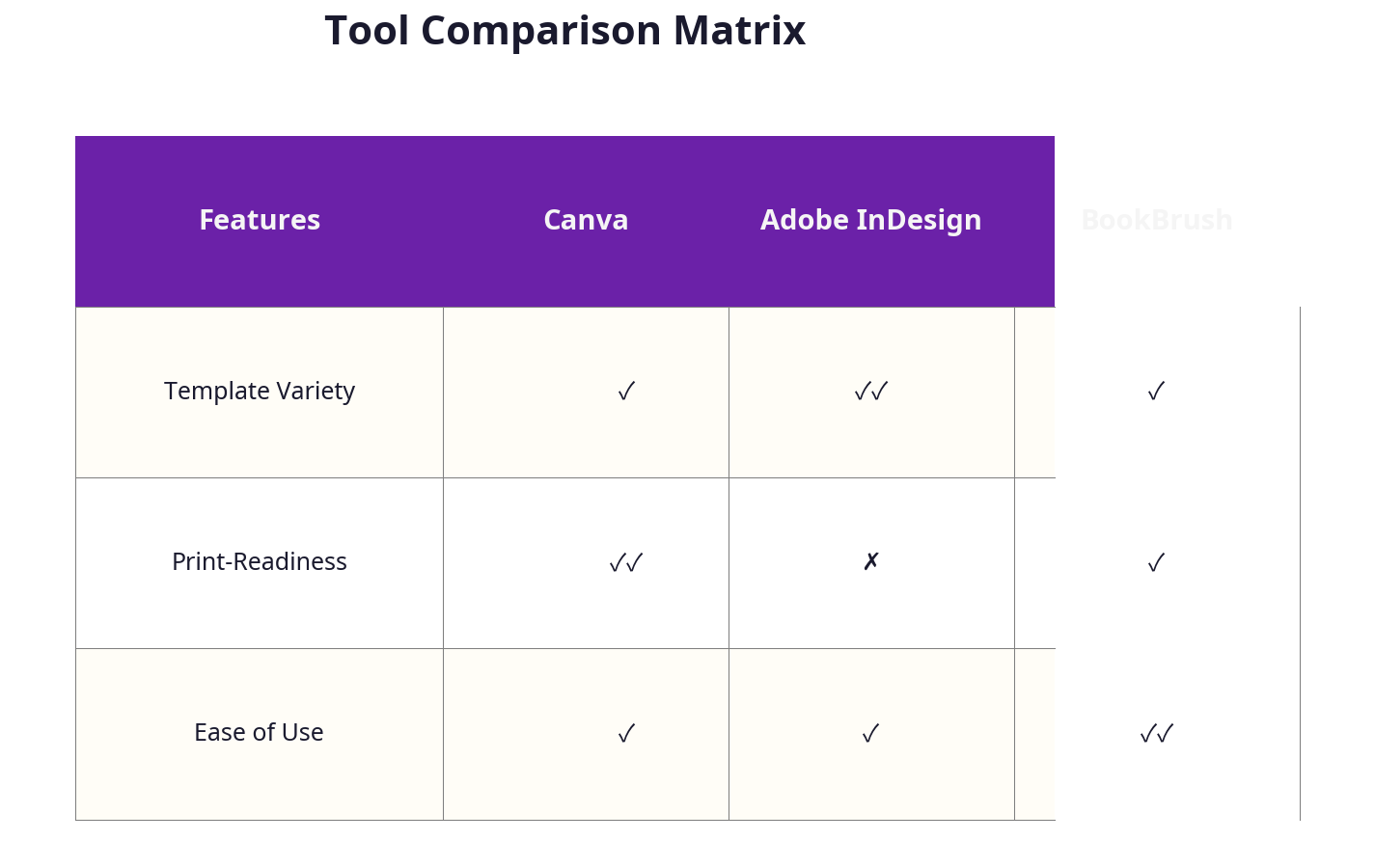
Let’s get technical. The most popular free book cover design tools vary in capability and ease of use. Here’s my breakdown of the top contenders for UK self-publishers:
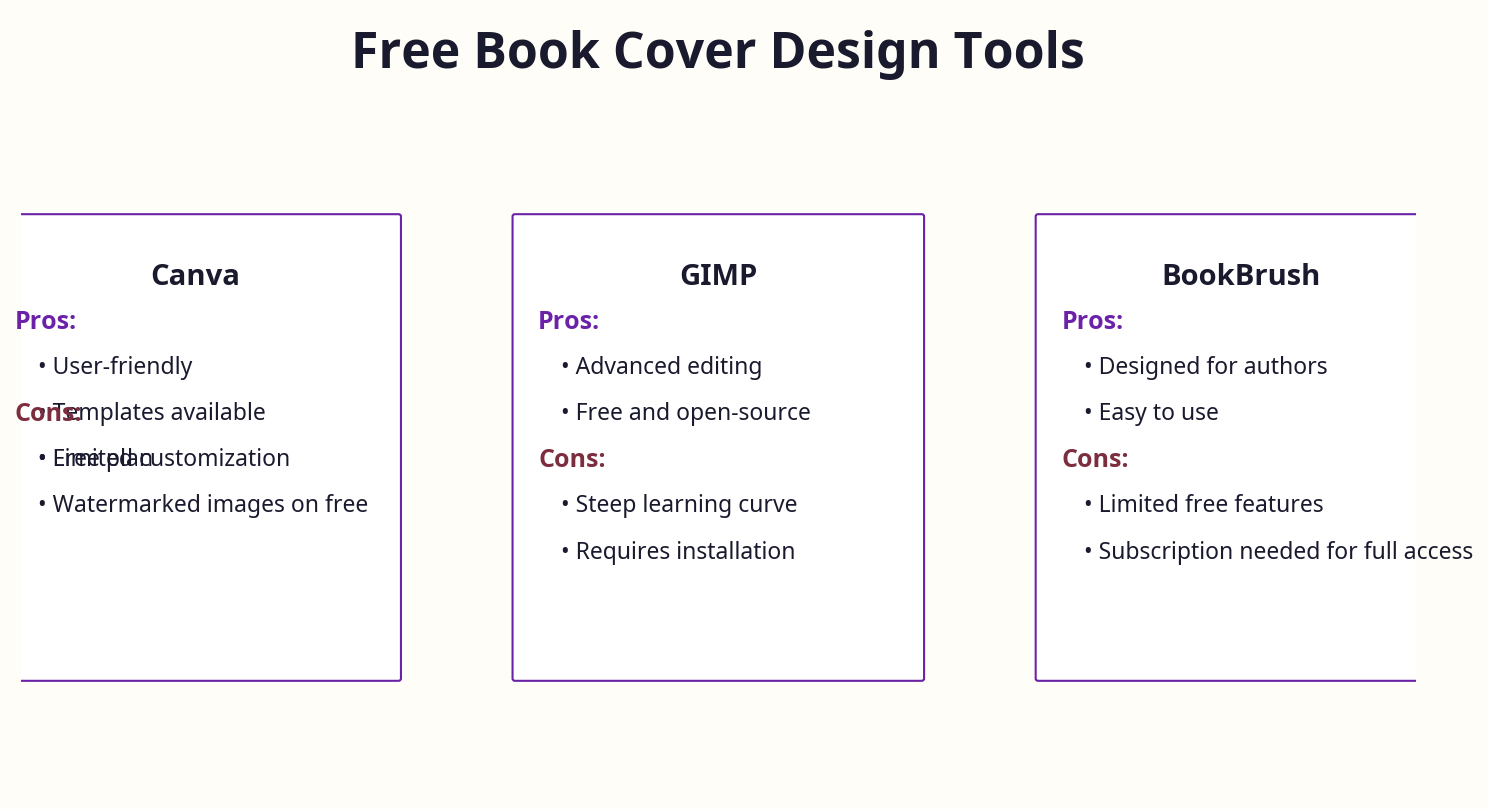
Canva
- Pros: Intuitive drag-and-drop interface, extensive free templates, easy export options.
- Cons: Default RGB colour mode—not ideal for print; limited customisation of spine width; fonts and images may be restricted by licensing.
- Usage Tip: Use File > Download > PDF Print and tick “Crop marks and bleed” to ensure correct print export.
- Best For: Authors who want quick, decent-looking covers without much technical fuss.
GIMP (GNU Image Manipulation Program)
- Pros: Powerful, open-source alternative to Photoshop; full control over layers, fonts, and colours; supports CMYK with plug-ins.
- Cons: Steeper learning curve; requires manual setup for bleed and spine; no built-in templates.
- Usage Tip: Use Image > Canvas Size to adjust bleed and spine; export as TIFF or PDF for print.
- Best For: Experienced users comfortable with graphic editing who want full control without cost.
Adobe Express (formerly Spark)
- Pros: Easy to use; good online templates; integrates with Adobe’s ecosystem.
- Cons: Free version has watermarks; limited export quality; no CMYK support.
- Best For: Authors who want simple web-based design and are okay with digital-only or low-cost print.
BookBrush (Free Plan)
- Pros: Designed specifically for authors; offers 3D mockups and cover templates.
- Cons: Free plan is limited; spine and bleed handling can be tricky.
- Best For: Authors focused on Amazon marketing images and social media covers.
Krita
- Pros: Free, open-source paint program with strong layer and brush support.
- Cons: Less suited for precise layout work; no CMYK support out of the box.
- Best For: Illustrators and artists creating original cover art.
Inkscape
- Pros: Vector graphic editor, great for logos and typography; free and open-source.
- Cons: Not designed for photo editing; requires manual setup of bleed and spine.
- Best For: Designing sharp typography and logos for covers.
Summary
For most UK self-publishers, Canva is the starting point because of ease and template library. However, serious authors who want print-ready covers with perfect bleed and spine control should consider GIMP or invest in professional help. Free tools can take you part of the way, but they aren’t magic.
Cost Breakdown: The Real Price of “Free” in the UK
“Free” tools don’t mean zero cost when you factor in time, quality, and ancillary expenses.
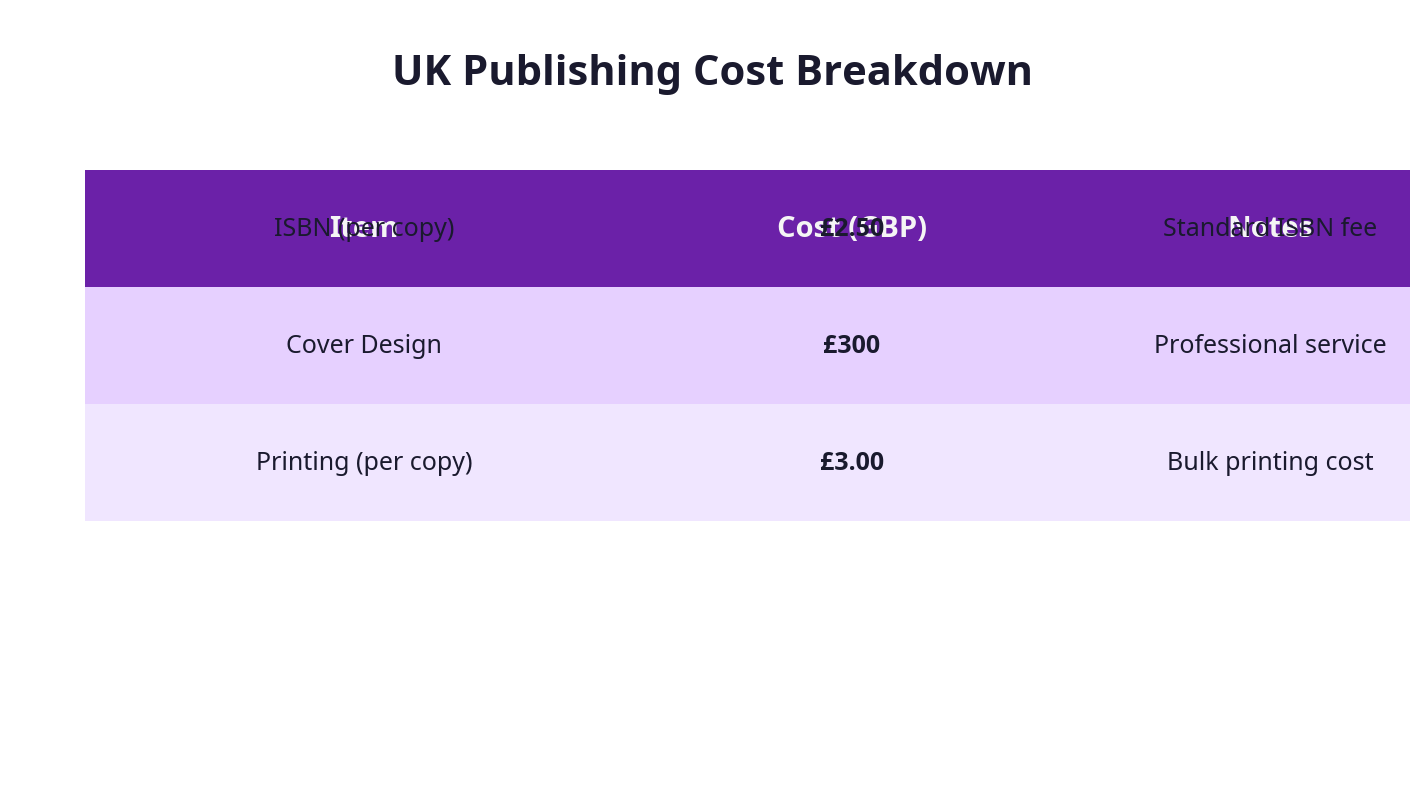
| Cost Item | Typical UK Price (£) | Notes |
|---|---|---|
| Nielsen ISBN (single) | £93 | Essential for retail distribution and barcode |
| Nielsen ISBN (block of 10) | £174 | More cost-effective for multiple titles |
| Professional Cover Design | £300 - £600 | Agencies like Spiffing Publishing charge ~£450 |
| Stock Images (optional) | £0 - £30 per image | Royalty-free UK stock libraries available |
| Print Proof (POD) | £5 - £15 | To verify cover before bulk printing |
| Software Subscription | £0 (for free tools) | Premium features often locked behind paywalls |
| Time Investment | Variable (10s of hours) | Design, export, revisions, and upload |
Many UK authors underestimate the cost of ISBNs and professional barcodes, which are non-negotiable for serious retail. The “free” tools save upfront fees but can cost days in lost productivity or thousands in lost sales due to poor covers.
This is why I often recommend combining free tools with expert formatting and cover checks from specialists like publishing.co.uk—to save time and avoid costly mistakes.
Expert Tips from 25 Years in eCommerce and Publishing
Having worked with hundreds of UK authors and major publishers, plus running an Amazon growth agency, here are my practical tips:
1. Think Like a Buyer, Not an Artist
Your cover is a marketing asset. It must grab attention, convey genre, and build trust instantly. Spend time researching top-selling UK titles in your niche and analyse their covers.
2. Match Interior and Exterior
I’ve seen authors nail the cover but mess up interior formatting, leading to mismatched spine widths and layout disasters. Use professional formatting services in tandem with your cover design to avoid this.
3. Beware of Overpriced Freelancers and Fiverr Gigs
Before launching publishing.co.uk, I hired a formatter for £130 who delivered a mess. Fiverr gigs promising “cheap covers” often use stolen images or templates that kill originality. Free tools plus your own effort often yield better results.
4. Don’t Skimp on ISBNs and Barcodes
I’ve consulted for billion-pound businesses that struggled with ISBN issues. In the UK, using Nielsen ISBNs is essential if you want full control and retail distribution. Generate your barcode yourself and add it to your cover—don’t rely on Amazon’s freebies.
5. Use UK-Specific Colour Profiles and Fonts
Many free tools default to American settings. Switch fonts to UK favourites and set colours to CMYK for print. Tools like GIMP allow this, Canva less so.
6. Test and Iterate
Print a proof copy before finalising. Colours and spine alignment look different on paper. Adjust accordingly.
Frequently Asked Questions
What is the most common mistake UK authors make with free book cover design tools?
The biggest mistake is ignoring spine width and bleed requirements, leading to covers that don’t fit properly when printed. Many free tools don’t automate this, so authors must calculate manually.
How much does free book cover design tools cost in the UK?
While the tools themselves are free, expect to pay £93 for a single ISBN from Nielsen. Costs for stock images, printing proofs, and potential professional help add up. True “free” covers with retail-ready barcodes are rare.
What tools do UK authors recommend for free book cover design tools?
Canva is the most popular for ease of use, followed by GIMP for those comfortable with graphic editing. BookBrush is gaining traction for Amazon marketing covers.
How long does the free book cover design tools process typically take?
From initial setup to final export, expect 10-20 hours depending on experience—longer if you learn as you go. Professional services can compress this to a few days.
Can I handle free book cover design tools myself or should I hire a professional?
If you have design experience and patience, free tools can work. However, many UK authors benefit from professional formatting and cover checks to avoid costly errors and delays.
What are the UK-specific requirements for free book cover design tools?
Key UK-specific needs include Nielsen ISBN and barcode integration, CMYK colour profiles for print, UK pricing on the cover, and awareness of UK genre cover conventions.
Conclusion
Free book cover design tools are a valuable resource for UK self-publishers on a budget, but they are not a silver bullet. Understanding technical requirements, the UK market context, and the real costs involved is vital to producing a professional, sales-driving cover. My experience with thousands of authors and corporate clients confirms that combining these tools with expert formatting and ISBN management—services publishing.co.uk specialises in—is the smartest route to success.
Don’t let the archaic nature of the industry frustrate you. Leverage the right tools, avoid common pitfalls, and invest where it counts. Your book deserves nothing less.
About the Author
Robert Prime is a best-selling self-published author, veteran eCommerce strategist, and the founder of publishing.co.uk. With over 25 years of experience in digital business and 15 successful exits, he brings a battle-tested perspective to the publishing industry. After experiencing firsthand the archaic, headache-inducing process of formatting a KDP-compliant book for his own best-seller, Google. Panic. Repeat., Robert built publishing.co.uk to solve the problem for other authors. He is also a co-owner of the LoveReading.co.uk network (the UK’s largest book review platform), founder of the Amazon growth agency MrPrime.com, and a member of the Forbes Business Council.